KronoPrompt
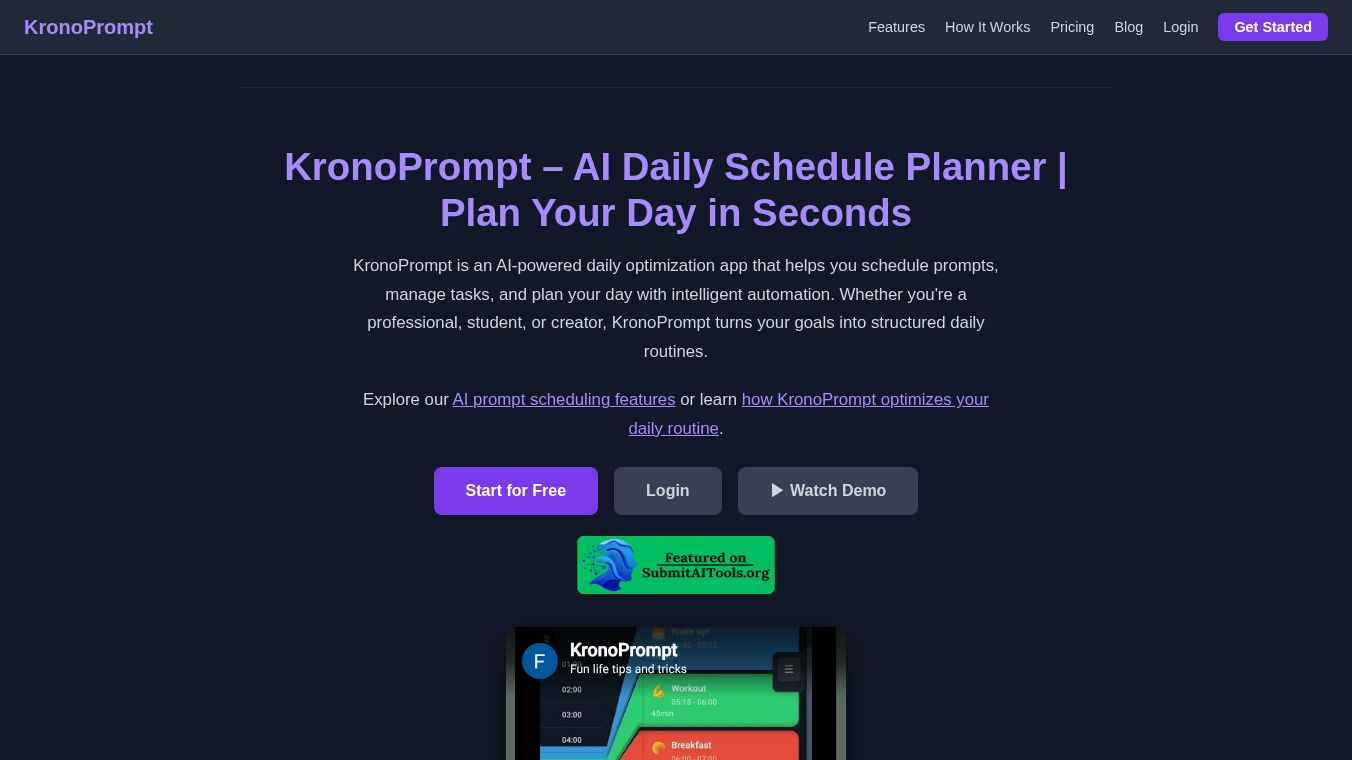





KronoPrompt: AI-Powered Daily Schedule Planner
KronoPrompt is an AI-powered daily schedule planner designed to transform your ideas into organized, visual timelines that you can follow minute by minute. The app features live progress bars for each activity, allowing users to track their day in real-time. Whether life changes unexpectedly or you simply need to adjust your plans, KronoPrompt enables quick modifications through AI suggestions or intuitive manual resizing using drag handles.
Benefits
KronoPrompt offers several key advantages for anyone looking to manage their time better. The AI Schedule Generation feature allows users to describe their day in natural language, such as listing meetings and gym sessions, and the app instantly builds a clean, color-coded timeline based on these inputs. Users can further modify, replace, or add tasks using follow-up prompts or by editing directly within the app. The AI assistant feature is available for free three times per month. The app provides an intuitive, draggable timeline where users can see their entire day at a glance. Tasks can be resized by dragging their handles, offering a flexible and visual approach to time management. Users have complete control over their schedules in edit mode, where they can change task names, times, and durations, adjust task colors, add new tasks manually, delete unnecessary tasks, or extend tasks instantly. The app also includes templates and future planning tools. Users can save favorite schedules as reusable templates such as Workday or Weekend and personalize these templates in seconds. The Setup Wizard creates your first schedule templates based on your lifestyle. Users can pre-plan upcoming days using templates, which are saved automatically. They can also duplicate a schedule to another date or save it as a new template. Collaboration and sharing are made easy with a shareable link to send your schedule to family, friends, or anyone who needs to stay in sync, facilitating better coordination. KronoPrompt works on phones, tablets, and desktop browsers. When signed in, your schedules sync seamlessly across all devices. The app includes a date navigator allowing you to scroll through the past 7 days and the next 15 days. Tapping any day lets you view or edit that specific schedule. KronoPrompt prioritizes user privacy. The developer states that no data is shared with third parties. The app may collect personal info and app activity, which is encrypted in transit. Users have the option to request that their data be deleted.
Use Cases
KronoPrompt is ideal for anyone who needs to organize their daily activities efficiently. It is perfect for professionals who have multiple meetings and need to visualize their day at a glance. Students can use it to plan study sessions and balance their academic workload with other commitments. Parents can share schedules with family members to ensure everyone stays in sync with important events. The app is also useful for anyone who wants to pre-plan their upcoming days using templates. The cross-platform sync makes it suitable for people who use different devices throughout the day. The date navigator feature is helpful for reviewing past schedules or planning for the near future. The app is appropriate for users aged 10 and above.
Pricing
KronoPrompt offers in-app purchases. The AI assistant feature is available for free three times per month. Additional features or unlimited access may require a subscription or one-time purchase through the in-app purchase system.
Vibes
There are no specific reviews or testimonials available in the provided information about public reception of KronoPrompt.
Additional Information
KronoPrompt was developed by Jean-Philippe Brochu. The developer can be contacted at KronoPrompt@gmail.com. The company is located at 2389 Rue Marcel-Trudel, Longueuil, QC J4N 0H7, Canada. The app falls under the Productivity category and has an age rating of 10+. The last update was on April 12, 2026, which included bug fixes and performance improvements.
This content is either user submitted or generated using AI technology (including, but not limited to, Google Gemini API, Llama, Grok, and Mistral), based on automated research and analysis of public data sources from search engines like DuckDuckGo, Google Search, and SearXNG, and directly from the tool's own website and with minimal to no human editing/review. THEJO AI is not affiliated with or endorsed by the AI tools or services mentioned. This is provided for informational and reference purposes only, is not an endorsement or official advice, and may contain inaccuracies or biases. Please verify details with original sources.


Comments
Please log in to post a comment.