HTMLShare
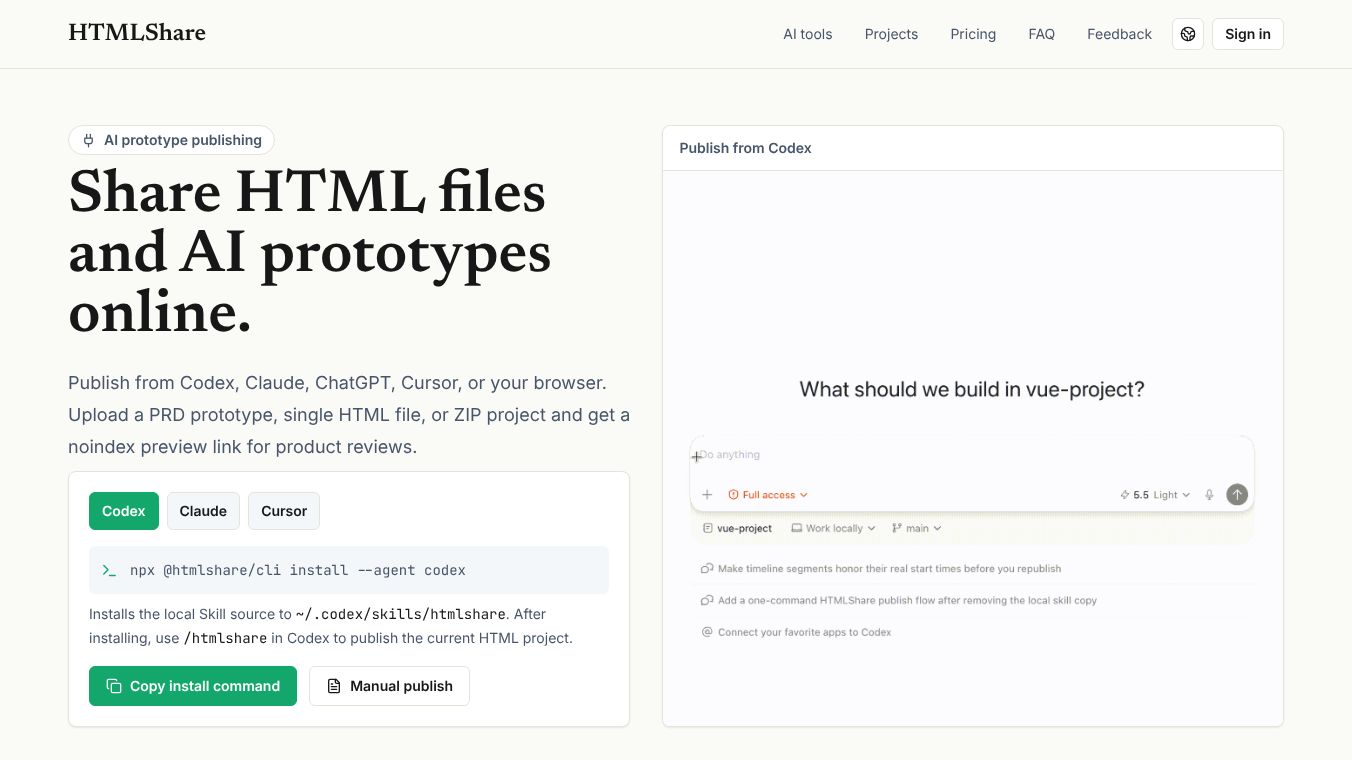





What is HTMLShare
HTMLShare is a free online tool that lets users turn any webpage into a standalone HTML file. It works by taking a link to a website and creating a single file that contains all the content, styles, and scripts from that page. This means the file can be opened in a web browser without needing an internet connection or the original website to be online. The tool is designed to be simple and fast, making it easy for anyone to save and share web content.
Benefits
The main advantage of HTMLShare is that it preserves the original look and feel of a webpage. When you save a page using this tool, the text, images, colors, and layout stay exactly the same as they do on the live site. This is helpful for people who want to keep a copy of a page for later reference or to share with others who might not have access to the original link.
Another key benefit is that the resulting file is completely offline. Once the HTML file is created, it can be stored on a computer, phone, or any device without needing Wi-Fi or cellular data. This makes it perfect for situations where internet access is limited or unavailable, such as during travel or in areas with poor connectivity.
The tool also supports various file formats. Users can choose to save their content as an HTML file, a PDF document, or a ZIP archive. This flexibility allows people to pick the format that best suits their needs, whether they want to edit the code later or just print the content.
Use Cases
HTMLShare is useful for many different tasks. Students and researchers often use it to save articles or study materials for offline reading. This ensures they can access important information even when they are not connected to the internet.
Journalists and content creators might use the tool to archive news stories or blog posts. By saving a page as an HTML file, they create a permanent record that does not depend on the website remaining active. This is especially important for news that might be removed or changed later.
Teachers and educators can use HTMLShare to distribute lesson materials to students. Instead of sharing long links that might break, they can send a single file that works on any device. This simplifies the process of sharing resources and ensures everyone has the same version of the content.
Developers and designers can use the tool to inspect how a website is built. By downloading the source code of a page, they can study the HTML, CSS, and JavaScript to learn from the design or fix similar issues on their own projects.
Pricing
HTMLShare is completely free to use. There are no hidden costs, subscription fees, or limits on how many pages you can save. Users can access the tool anytime from their browser without needing to create an account or pay for a premium plan.
Vibes
Users generally appreciate the simplicity and speed of HTMLShare. Many people find it to be a reliable way to save web content quickly. The interface is clean and easy to navigate, which makes it accessible for users who are not tech-savvy. Reviews often highlight how well the tool preserves the original design of websites, making the saved files look professional and complete.
Some users have noted that the tool works best with static pages. Dynamic content that relies heavily on real-time data or complex user interactions might not always save perfectly. However, for most standard webpages, the results are very accurate and useful.
Additional Information
HTMLShare is developed by a small team of volunteers who are passionate about making web tools accessible to everyone. The project has grown over time through community contributions and feedback. It does not rely on large corporate funding but instead operates on a donation-based model to keep the servers running and the tool free for users. The developers regularly update the software to fix bugs and add new features based on user requests.
This content is either user submitted or generated using AI technology (including, but not limited to, Google Gemini API, Llama, Grok, and Mistral), based on automated research and analysis of public data sources from search engines like DuckDuckGo, Google Search, and SearXNG, and directly from the tool's own website and with minimal to no human editing/review. THEJO AI is not affiliated with or endorsed by the AI tools or services mentioned. This is provided for informational and reference purposes only, is not an endorsement or official advice, and may contain inaccuracies or biases. Please verify details with original sources.



Comments
Please log in to post a comment.