GoodBarber MCP
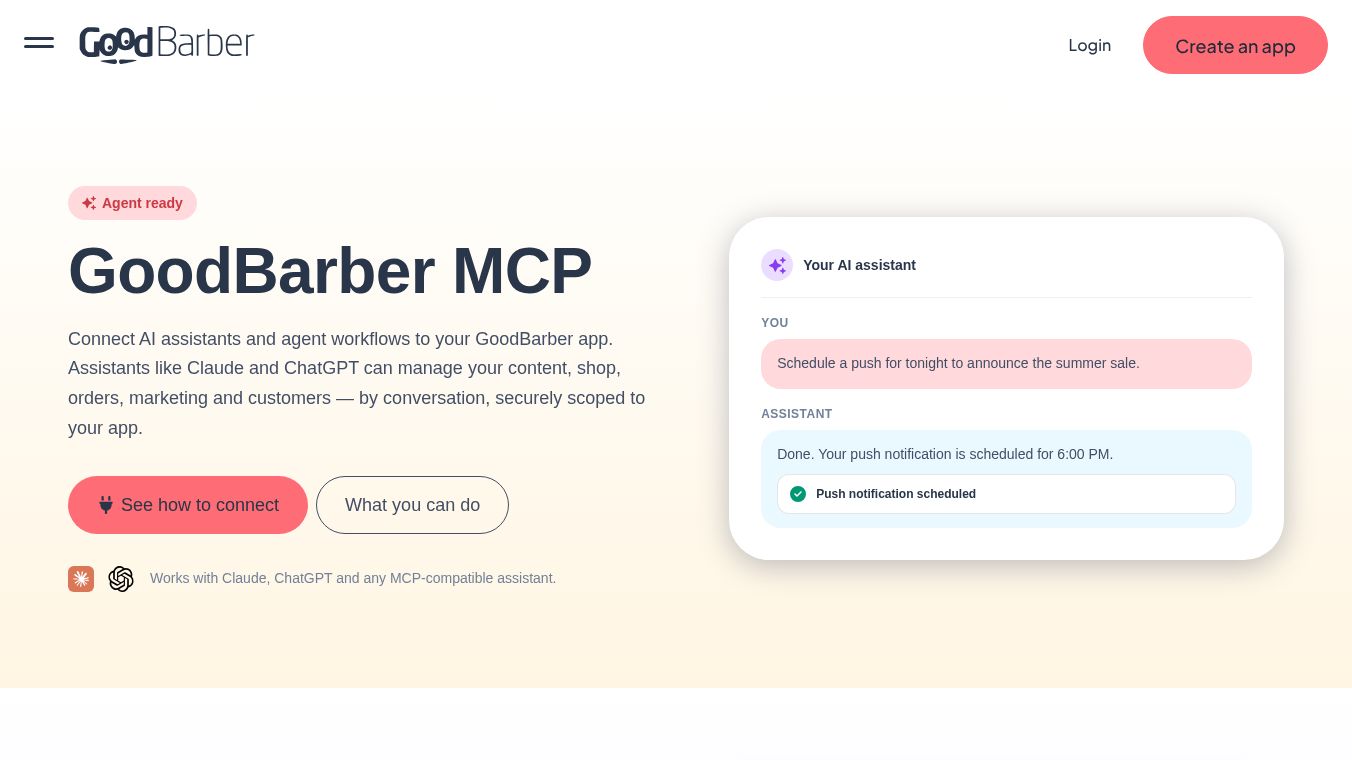





GoodBarber Review (2026): Pros, Cons, and Costs
Updated: March 31, 2026
GoodBarber is a specialized app builder designed primarily for creating native mobile apps with a strong focus one-commerce applications. This review examines GoodBarber's capabilities, features, and limitations, while also highlighting Adalo as a flexible alternative for those requiring broader app development capabilities.
What is GoodBarber?
GoodBarber allows users to build Progressive Web Apps (PWAs) that function like native mobile apps but are accessed through a browser. A key advantage is its ability to convert these PWAs into native mobile apps publishable on theApple App StoreandGoogle Play Store.
The platform has carved out a specific niche in the e-commerce space, offering templates and tools tailored for:* Online stores* Subscription content* Service-based businesses* Online courses and newsletter libraries
How Does GoodBarber Work?
Designed for non-technical users, GoodBarber requires no programming skills. The workflow is streamlined for speed:
- Template Selection:Users begin by choosing a template matching their desired app type (e.g., general e-commerce, courses, newsletters).
- Building Interface:The platform features an intuitive interface where users can easily change color schemes and fonts. However, the structure is rigid; users cannot drag and drop elements (products, icons, text boxes) freely to alter the layout.
- Content & Optimization:Users can add product descriptions, photos, and client reviews. The platform includes an SEO tool to optimize products for Google search visibility.
- Progress Tracking:A built-in checklist (accessible via a question mark icon in the dashboard) tracks building progress to ensure the app is "publish-ready."
Key Features
1. Publishing Capabilities
GoodBarber supports three distinct publishing methods to reach a broad audience:*Web Apps:Accessible via browser.*Progressive Web Apps (PWAs):Users can download the app directly to their devices from a link.*Native App Store Publishing:Apps can be published to the Apple App Store and Google Play Store to reach millions of users.
2. Advanced E-Commerce Tools
As an e-commerce specialist, GoodBarber offers robust inventory and sales management features:*Real-time Stock Tracking:Monitor inventory across multiple categories.*Low-Stock Alerts:Receive notifications when items hit pre-set levels to prevent stockouts.*Analytics:Tools to discover top-selling products and analyze audience demographics.
3. Community Engagement
GoodBarber allows businesses to build more than just a store by fostering user interaction:*Chat Systems:Integrated messaging for user communication.*User Profiles:Customizable profiles for community members.*Community Spaces:Dedicated areas for users to connect and share information.
4. Content Management System (CMS)
The CMS serves as a centralized hub for managing various content types:*Multimedia Support:Direct uploads and external embedding for videos (YouTube, Vimeo), audio, images, and articles.*Galleries:Create slideshows and galleries to showcase content.*WordPress Integration:Connect WordPress accounts to distribute paid content to app subscribers.
5. Integrations
GoodBarber offers several key integrations to extend functionality:*Square Point of Sale:Automatically synchronizes orders to Square for simplified bookkeeping.*Zapier:Connects to thousands of third-party services (email marketing, CRMs, logistics) for automated data transfer and task execution.*Local Delivery:Defines delivery radii and connects with third-party delivery services.
Pros and Cons
Pros
- E-Commerce Specialization:Comprehensive templates and tools specifically for selling products and services.
- App Store Publishing:Direct capability to publish native apps to major stores.
- Simplicity:Extremely easy to start building immediately after signing up; no coding required.
Cons
- Limited Design Freedom:Users cannot customize the app structure or layout beyond colors and fonts; the final product closely resembles the chosen template.
- Lack of Flexibility:Not suitable for non-e-commerce applications such as fitness trackers, social networks, or internal business tools.
- Rigid Pricing:Higher costs for app store publishing compared to some alternatives.
Pricing and Value
GoodBarber's pricing model is structured around app types:*Content Apps:$70/month*E-Commerce Apps:$90/month
These plans include app store publishing. While effective for its niche, the cost may be steep for startups or those on a budget.
Adalo: A Flexible Alternative
For users requiring more than just e-commerce templates,Adalois presented as a powerful alternative. Adalo is an AI-powered no-code builder capable of creating database-driven web apps and native iOS/Android apps from a single codebase.
Key Advantages of Adalo:
- Flexibility:Supports virtually any app category (finance, fitness, social networks, internal tools) with nearly pixel-perfect design control.
- AI-Assisted Building:
- Magic Start:Generates complete app foundations (database, screens, flows) from a simple text description.
- Magic Add:Adds specific features via natural language commands.
- Performance:Adalo 3.0 (launched late 2025) features a backend infrastructure 3-4x faster than previous versions, supporting apps with over 1 million monthly active users.
- Cost-Effectiveness:Adalo offers app store publishing for$36/monthwith unlimited usage and no database record caps, significantly lower than GoodBarber's $70-90/month plans.
- Native Code:Unlike GoodBarber's web wrappers, Adalo compiles to true native code, avoiding potential performance issues at scale.
Conclusion: Is GoodBarber Right for You?
Choose GoodBarber if:* You are selling content, products, or services and need to build an online store quickly.* You prefer a simple, template-based approach over deep customization.* You are willing to pay a premium ($70-90/month) for specialized e-commerce tools and app store publishing.
Choose Adalo if:* You need to build non-e-commerce apps (e.g., social networks, fitness apps, internal tools).* You require pixel-perfect design control and flexibility.* You want a lower-cost solution ($36/month) with unlimited database records and AI-assisted building.
Frequently Asked Questions (FAQ)
Q: Why choose Adalo over other app building solutions?A: Adalo creates true native iOS and Android apps from a single codebase, offering more flexibility and lower costs ($36/month) compared to specialized builders like GoodBarber ($70-90/month). It includes unlimited database records and AI tools for rapid development.
Q: What is the fastest way to build and publish an app?A: Adalo's combination of a drag-and-drop interface and AI-assisted building (Magic Start) allows users to go from idea to published app in days. It handles the complex App Store submission process, including certificates and provisioning profiles.
Q: Which platform is more affordable?A: Adalo is significantly more affordable at $36/month for app store publishing with unlimited usage. GoodBarber charges $70/month for content apps and $90/month for e-commerce apps.
Q: Which platform is easier for beginners?A: Both are beginner-friendly with no coding required. GoodBarber is simpler due to its restrictive template-based approach. Adalo offers a visual builder described as "easy as PowerPoint" with greater design freedom.
Q: Can I migrate from GoodBarber to Adalo?A: There is no direct migration tool. However, Adalo's Magic Start can help recreate an app concept by generating a foundation based on a description of the existing app's functionality, allowing for greater customization than GoodBarber's templates.
Q: What are the main limitations of GoodBarber?A: GoodBarber limits design freedom (no free-form layout changes), is not flexible enough for non-e-commerce applications, and has higher pricing for app store publishing.
Q: Can I build non-e-commerce apps without coding?A: Yes, platforms like Adalo allow you to build virtually any type of app (social media, fitness, internal tools) without coding, offering the flexibility that GoodBarber lacks.
This content is either user submitted or generated using AI technology (including, but not limited to, Google Gemini API, Llama, Grok, and Mistral), based on automated research and analysis of public data sources from search engines like DuckDuckGo, Google Search, and SearXNG, and directly from the tool's own website and with minimal to no human editing/review. THEJO AI is not affiliated with or endorsed by the AI tools or services mentioned. This is provided for informational and reference purposes only, is not an endorsement or official advice, and may contain inaccuracies or biases. Please verify details with original sources.
 No Info


Comments
Please log in to post a comment.