FnKey
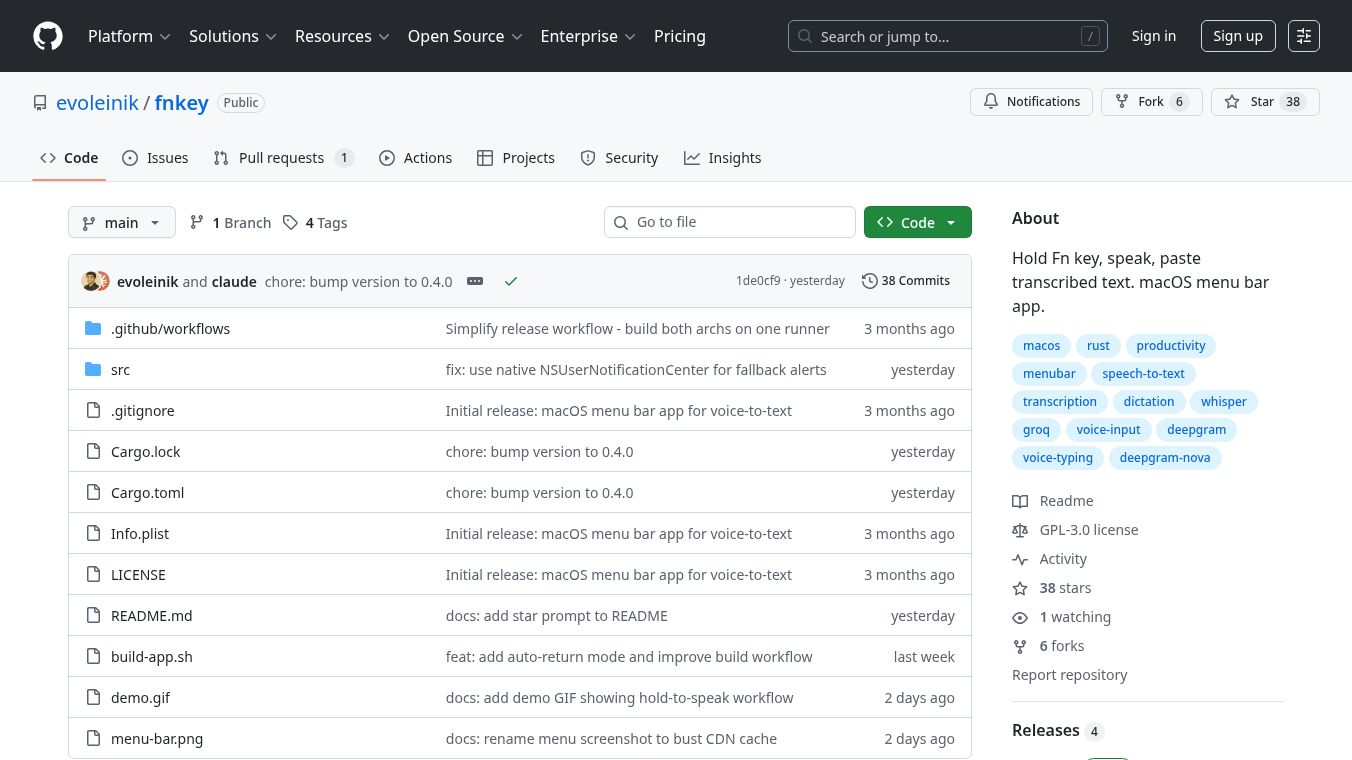





FnKey is a simple tool for macOS that lets you quickly turn your spoken words into text. It sits in your menu bar, ready to help you type faster. You just press and hold the Fn key, say what you want to say, and then let go of the Fn key. FnKey will then automatically transcribe your speech and paste it right where your cursor is.
Benefits
FnKey makes typing much quicker by letting you speak instead of typing. It's designed to be easy to use, with the microphone only being active when you're actually holding down the Fn key. This means it's more private because it's not always listening. The app can also automatically send a new line after pasting text if you choose that option, making it even more convenient for tasks like taking notes or filling out forms.
Use Cases
This tool is great for anyone who uses a Mac and wants to speed up their typing. It's useful for students taking notes during lectures, professionals dictating emails or reports, or anyone who finds typing long passages tedious. You can use it in any application where you can type text, from word processors to messaging apps.
Pricing
Information about pricing is not available in the provided text.
Vibes
Information about public reception or reviews is not available in the provided text.
Additional Information
FnKey is built using Rust and offers two ways to transcribe your speech: Deepgram Nova-3 for fast, real-time transcription and Groq Whisper for processing audio after you finish speaking. Users can improve accuracy by adding custom keywords for specific terms. The application requires certain permissions, like Input Monitoring and Microphone access, to function correctly. It also includes features like audio enhancement for the Groq backend and automatically adjusts to your device's sound settings.
This content is either user submitted or generated using AI technology (including, but not limited to, Google Gemini API, Llama, Grok, and Mistral), based on automated research and analysis of public data sources from search engines like DuckDuckGo, Google Search, and SearXNG, and directly from the tool's own website and with minimal to no human editing/review. THEJO AI is not affiliated with or endorsed by the AI tools or services mentioned. This is provided for informational and reference purposes only, is not an endorsement or official advice, and may contain inaccuracies or biases. Please verify details with original sources.


 No Info

Comments
Please log in to post a comment.