Derustify
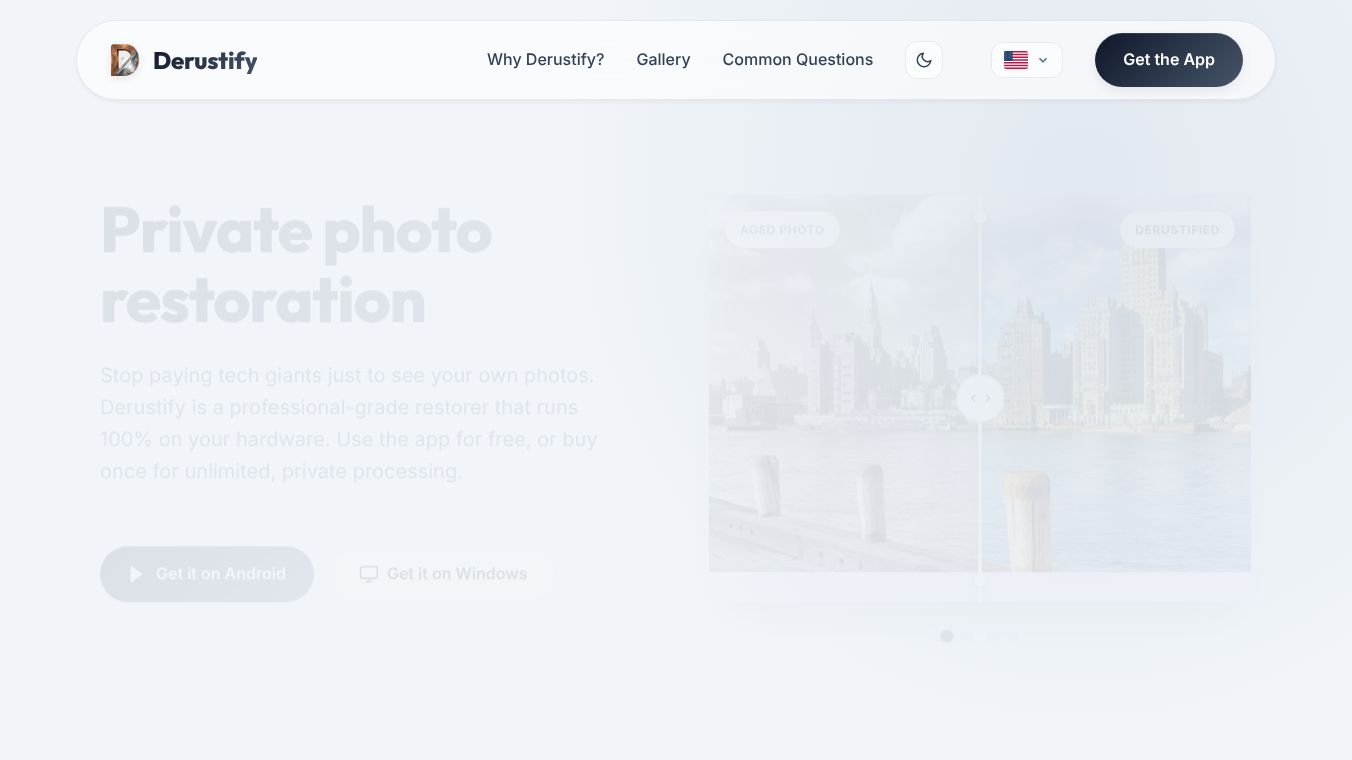





Derustify: Private, Professional-Grade Photo Restoration
Derustify is a software tool designed to fix old and damaged photos on your own computer or phone. It uses artificial intelligence to remove scratches, fix blurry faces, and add color to black-and-white pictures. The main goal of this app is to help people keep their family memories safe without sending them to the cloud or paying monthly fees. Instead, it runs entirely on your personal device.
Benefits
Derustify offers several important advantages for anyone who wants to restore their photos.
- Total Privacy:Your photos never leave your device. There are no servers, no accounts to create, and no internet connection needed. This means your family history stays completely safe with you.
- No Recurring Costs:You do not need to pay a subscription fee every month. The app uses a one-time purchase model where you buy it once and keep it forever.
- Free Version Available:Even if you do not want to pay, the free version uses the same powerful AI technology as the paid version. It processes images without adding any watermarks.
- High-Quality Results:The tool removes digital noise and film grain while keeping details sharp. It can heal tears and folds in scanned photos and restore clarity to blurry faces.
- Works Locally:Because the AI is built inside the app, your device does the heavy lifting. This makes the process fast and ensures your data remains private.
Use Cases
Derustify is useful for many different situations where people want to preserve their past.
- Restoring Old Family Photos:You can use it to fix faded or damaged pictures from grandparents or parents. The app can remove scratches and tears that have formed over decades.
- Colorizing Black-and-White Images:The tool can automatically add realistic colors to old black-and-white photos, bringing history to life without looking artificial.
- Sharpening Blurry Faces:If a photo is too blurry to see a person's expression, the AI can enhance the face to make it clear and detailed.
- Scanning Physical Albums:You can use the app to turn your phone into a scanner. It detects the edges of your photos and corrects any bending or warping to create a perfect digital copy.
- Batch Processing:Users can upload a whole folder of photos at once to restore them all quickly without doing them one by one.
- Professional Editing:Advanced users can use manual tools to fine-tune the results, such as adjusting clarity or removing specific stubborn marks.
Pricing
Derustify offers two main ways to use the software.
- Free Version:This version allows you to use all the core AI features like denoising and colorization. It does not add watermarks to your images. However, the export resolution is limited to 1080 pixels, and you can only process one image at a time.
- Derustify+ Pro Version:This is a one-time purchase license that unlocks more power. It allows for full resolution exports up to 4K, batch processing of up to 20 images on mobile or 500 on Windows, and access to manual retouching tools. This version is ideal for users who need higher quality or want to edit their photos manually.
Vibes
Users who have tried Derustify generally appreciate its focus on privacy and ownership. Many people feel relieved that their photos do not go to a company that might sell them. The community likes that the free version is just as powerful as the paid version for basic tasks. Some users note that while the AI is very good at guessing colors and fixing damage, it is not perfect. They often mention that the manual tools in the Pro version are essential for fixing small mistakes or ensuring historical accuracy in clothing and objects.
Additional Information
Derustify is designed to run on everyday devices, including standard phones and laptops. The software is optimized to use the hardware already present on your machine. For the best experience, it is recommended to have at least 4GB of RAM. The app is available for both Android and Windows platforms. The Windows version is particularly powerful because it can utilize the computer's hardware to handle much larger files and massive batch processing jobs. The developers emphasize that their philosophy is about giving users ownership of their memories rather than renting them from a tech giant.
This content is either user submitted or generated using AI technology (including, but not limited to, Google Gemini API, Llama, Grok, and Mistral), based on automated research and analysis of public data sources from search engines like DuckDuckGo, Google Search, and SearXNG, and directly from the tool's own website and with minimal to no human editing/review. THEJO AI is not affiliated with or endorsed by the AI tools or services mentioned. This is provided for informational and reference purposes only, is not an endorsement or official advice, and may contain inaccuracies or biases. Please verify details with original sources.



Comments
Please log in to post a comment.