Cursor Mobile: Remote IDE
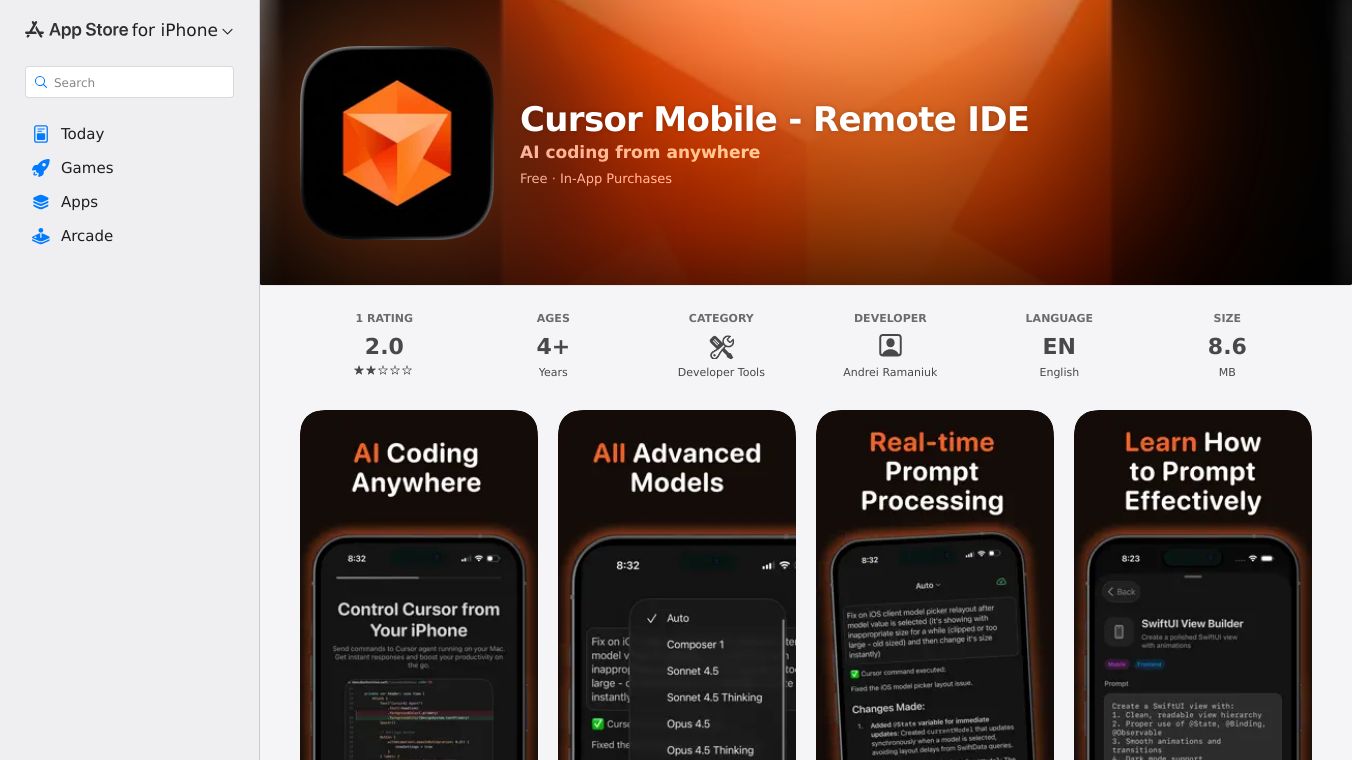





Cursor Mobile is a mobile application that brings the full power of a remote IDE (Integrated Development Environment) to your smartphone. This app allows developers to code, collaborate, and manage projects seamlessly from anywhere, at any time. With Cursor Mobile, users can access their development environment directly from their mobile devices, making it easier to stay productive on the go. The app is available for download on various platforms, including the Apple App Store, and offers a range of features tailored to enhance the coding experience.
Cursor Mobile is designed to provide developers with the tools they need to code efficiently on their mobile devices. It offers a full-featured IDE that includes syntax highlighting, code completion, and debugging tools. The app also supports multiple programming languages, making it versatile for different types of projects. Additionally, Cursor Mobile allows for real-time collaboration, enabling developers to work together on the same codebase simultaneously. This feature is particularly useful for teams that need to stay connected and productive, even when they are not in the same location.
One of the standout features of Cursor Mobile is its seamless integration with cloud services. Users can easily connect their development environment to cloud-based repositories, making it simple to manage and deploy code. This integration ensures that developers can access their projects from anywhere, at any time, without worrying about data loss or compatibility issues. The app also supports offline mode, allowing users to continue working even when they do not have an internet connection.
Cursor Mobile is designed with user experience in mind. The app features an intuitive interface that is easy to navigate, even for those who are new to mobile coding. It also offers customizable themes and layouts, allowing users to personalize their coding environment to suit their preferences. The app is regularly updated with new features and improvements, ensuring that users always have access to the latest tools and technologies.
Cursor Mobile is ideal for developers who need to stay productive on the go. Whether you are a freelancer working on multiple projects or a team member collaborating with colleagues, Cursor Mobile provides the tools you need to code efficiently from your mobile device. The app is particularly useful for those who travel frequently or work in remote locations, as it allows them to access their development environment from anywhere. Additionally, Cursor Mobile is a great option for educators and students who want to learn to code on the go, as it provides a full-featured IDE that is accessible from any mobile device.
Cursor Mobile is available for download on the Apple App Store. The app offers a range of pricing options, including a free trial period, allowing users to explore its features before committing to a subscription. For more information, you can visit the official Cursor Mobile website or explore user reviews and additional details on third-party app review sites.
This content is either user submitted or generated using AI technology (including, but not limited to, Google Gemini API, Llama, Grok, and Mistral), based on automated research and analysis of public data sources from search engines like DuckDuckGo, Google Search, and SearXNG, and directly from the tool's own website and with minimal to no human editing/review. THEJO AI is not affiliated with or endorsed by the AI tools or services mentioned. This is provided for informational and reference purposes only, is not an endorsement or official advice, and may contain inaccuracies or biases. Please verify details with original sources.

Comments
Please log in to post a comment.