ContextShift
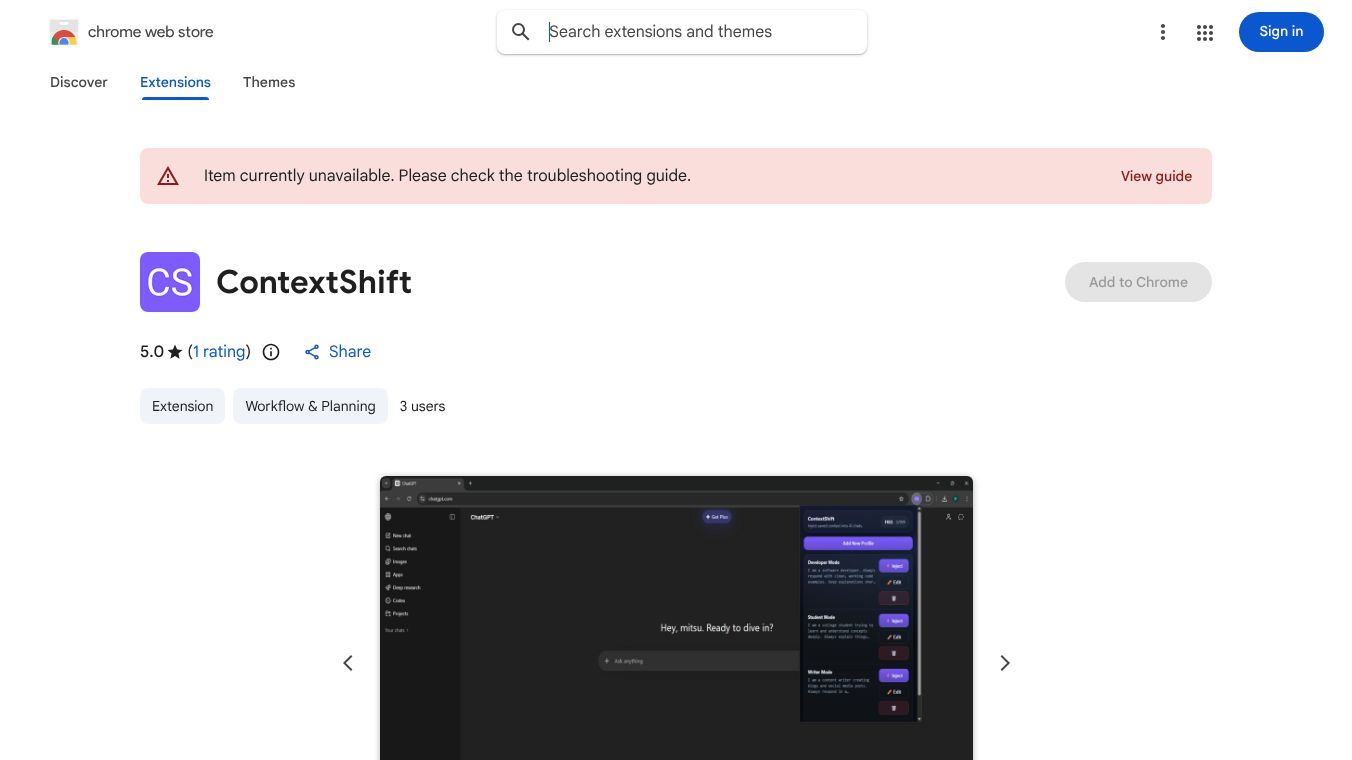





ContextShift is a free Chrome extension that helps you work more efficiently with AI chatbots. It acts like a shortcut, allowing you to save your preferred settings, role, and writing style. You can then use these saved profiles to instantly fill in information in AI chats on popular platforms such as ChatGPT, Claude, and Gemini with just one click. This means you won't have to keep explaining the same things over and over, saving you valuable time.
Benefits
ContextShift saves you time by letting you quickly load your saved preferences into AI chats. It also protects your privacy because all your data stays on your computer and is never sent to any servers, meaning you are not tracked.
Use Cases
This extension is useful for many people. Developers can save their coding tools and style to easily share with AI. Students can input their course preferences quickly. Writers can maintain a consistent tone and follow style guides. Marketers can ensure that the AI always uses the correct brand voice.
Vibes
Users appreciate that ContextShift is a free tool that helps them save time and maintain consistency when interacting with AI chatbots. Its focus on privacy is also a key benefit for many.
Additional Information
ContextShift works with ChatGPT, Claude, and Gemini. You do not need to create an account to use it.
This content is either user submitted or generated using AI technology (including, but not limited to, Google Gemini API, Llama, Grok, and Mistral), based on automated research and analysis of public data sources from search engines like DuckDuckGo, Google Search, and SearXNG, and directly from the tool's own website and with minimal to no human editing/review. THEJO AI is not affiliated with or endorsed by the AI tools or services mentioned. This is provided for informational and reference purposes only, is not an endorsement or official advice, and may contain inaccuracies or biases. Please verify details with original sources.

 No Info
Comments
Please log in to post a comment.