Comet for Enterprise
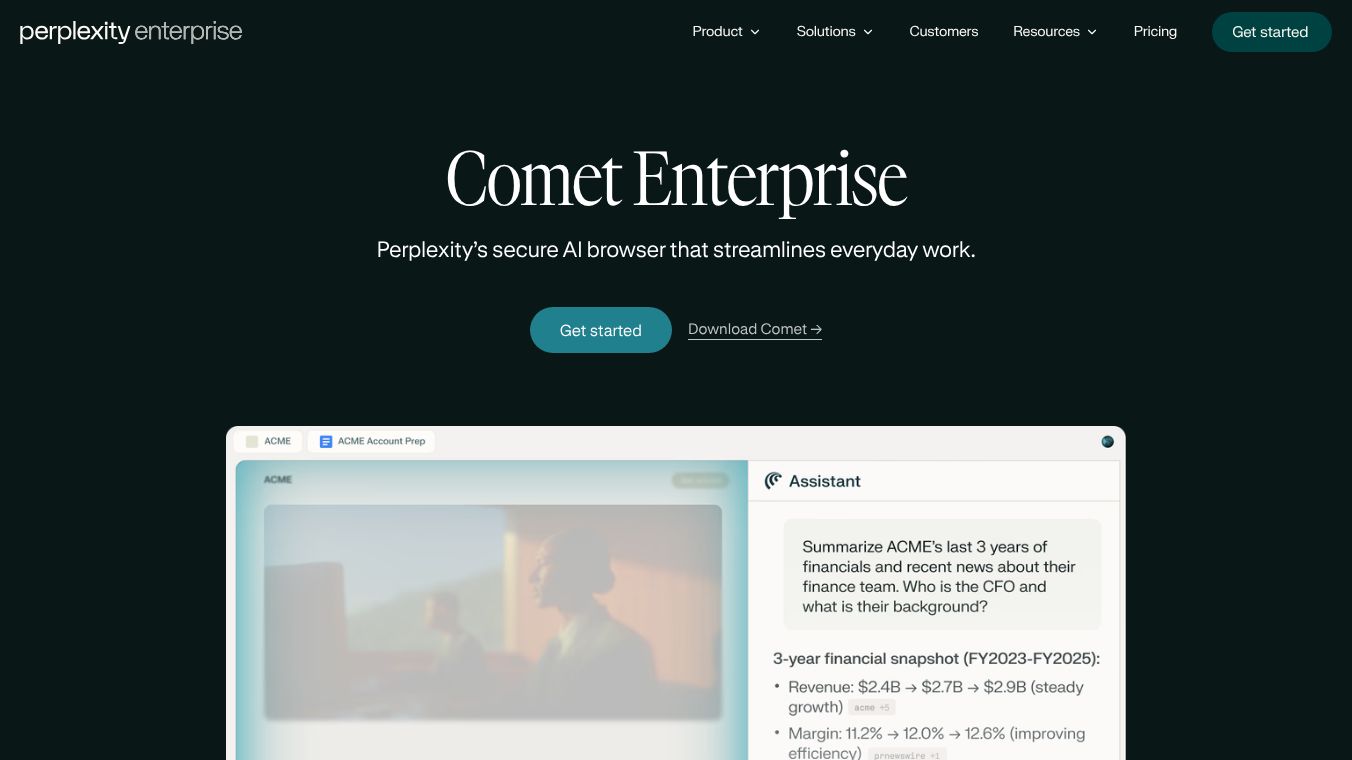





Comet Enterprise is a secure AI browser built to make daily work easier. It acts like a helpful assistant that is always available to your team. Since most of the workday happens in a browser, Comet helps people get more done by understanding what's happening across different browser tabs and by automating common tasks.
Benefits
Comet Enterprise helps personalize your online experience. You can ask it questions, move between websites, and get summaries of web pages. It can also handle repetitive jobs like replying to emails, scheduling meetings, and getting ready for appointments. This lets employees spend more time on important work.
Use Cases
Comet Enterprise is useful for many situations. For example, a hospitality company uses it to manage different hotel brands that have different systems. Their teams can gather information from various online sources, compare data about competitors, and quickly create reports. It's designed for businesses that need to improve efficiency and focus on high-value tasks.
Vibes
Security is a major focus for Comet Enterprise. It has strong infrastructure that meets industry standards for security and privacy, protecting against certain types of attacks and keeping data safe. Administrators have detailed control over how assistants and agents are used. They can prevent access to certain websites, require approval for specific browsers, and limit what agents can do. It also works with other security tools to monitor and control browser activity through specific rules.
Additional Information
Comet Enterprise can be set up on many computers at once using existing management tools. The system provides clear insights into how AI is being used, how rules are being followed, and how sensitive information is being handled. This is shown through reports and analytics. The platform also includes a library of pre-written prompts for common business tasks to help teams save time. Information is available to help with setup and security, covering topics like data protection, admin controls, how to install it, monitoring features, compatibility with security and management tools, what employees can do, and how it differs from other enterprise browsers.
This content is either user submitted or generated using AI technology (including, but not limited to, Google Gemini API, Llama, Grok, and Mistral), based on automated research and analysis of public data sources from search engines like DuckDuckGo, Google Search, and SearXNG, and directly from the tool's own website and with minimal to no human editing/review. THEJO AI is not affiliated with or endorsed by the AI tools or services mentioned. This is provided for informational and reference purposes only, is not an endorsement or official advice, and may contain inaccuracies or biases. Please verify details with original sources.
Comments
Please log in to post a comment.