CodeCharm





CodeCharm — AI-Powered Code Comment Generator for VS Code
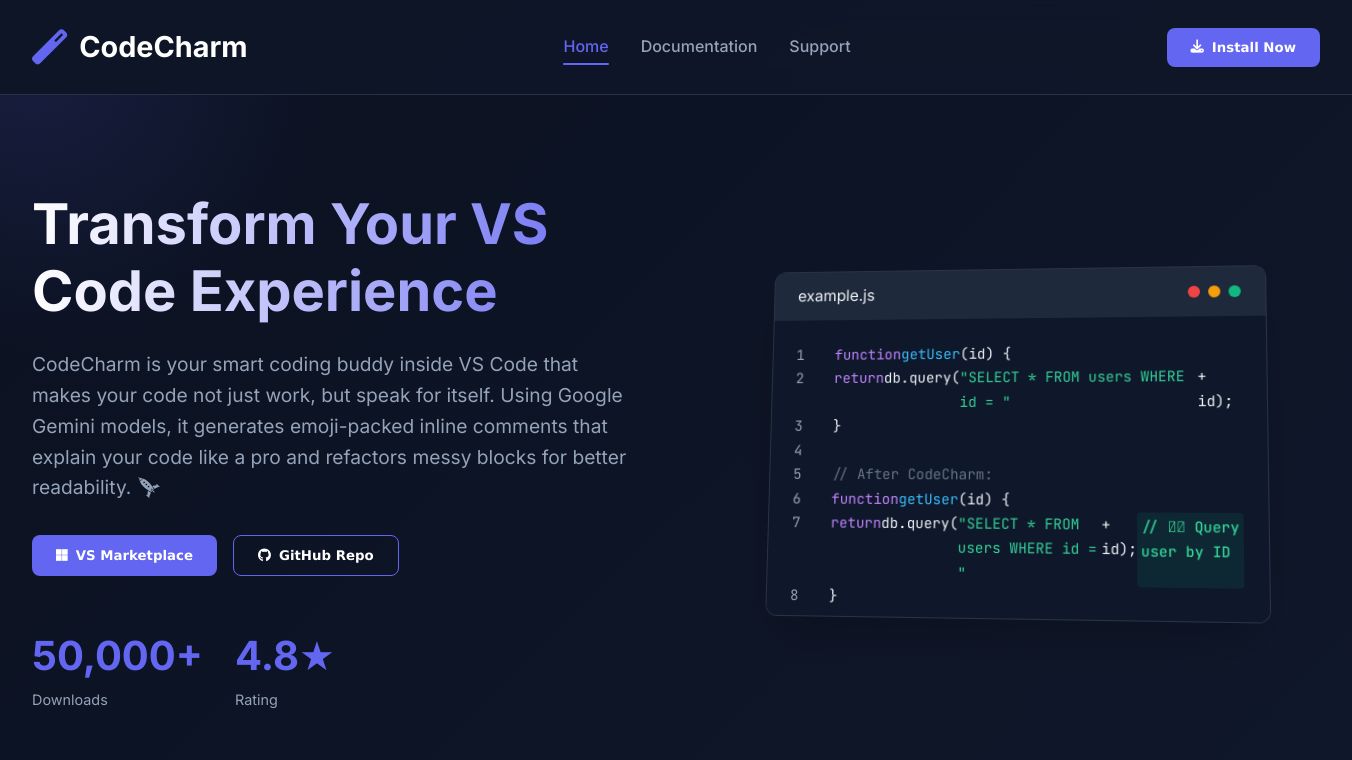
CodeCharm is an intelligent VS Code extension that helps developers improve their code by generating inline comments and refactoring messy code. Using Google Gemini models, CodeCharm adds emoji-rich, concise comments or refactors code to enhance readability. It is now updated with multi-model fallback support and secure API key input.
Benefits
- Inline Code Comments: CodeCharm generates clean and fun inline comments with emojis, making your code more understandable and visually appealing.
- Code Refactoring: It refactors messy code to improve readability, helping you maintain a clean and organized codebase.
- Shortcut Support: Use shortcuts like
Ctrl + Win + Jto add inline comments andCtrl + Win + Gto refactor code, making it quick and easy to enhance your code. - Model Fallback Support: CodeCharm uses multiple Gemini models in a specific order to ensure reliable performance, even if one model is unavailable.
- Secure API Key Storage: Your Google Gemini API key is stored securely in your VS Code settings, ensuring your key stays local and secure.
Use Cases
CodeCharm is ideal for developers who want to improve the readability and maintainability of their code. It is particularly useful for:* Adding clear and concise comments to your code to explain its functionality.* Refactoring messy or complex code to make it easier to understand and maintain.* Enhancing collaboration by making your code more accessible to other developers.
Setup — Add Your API Key
To use CodeCharm, you'll need your own Google Gemini API key. Follow these steps to set it up:1. Go toGoogle Gemini API.2. Copy your API key.3. Open VS Code.4. PressCtrl + Win + JorCtrl + Win + Gfor the first time.5. A secure input box will appear; paste your key there.6. Your key will be saved automatically inCodeCharm.zetaFluxin your VS Code settings.
How to Use
- Select a block of code.
- Press:
Ctrl + Win + Jfor inline commentsCtrl + Win + Gto refactor code
- CodeCharm will generate and replace your selection with an improved version.
Example Output
Before:
function getUser(id) {return db.query("SELECT * FROM users WHERE id = " + id);}After (Ctrl + Win + J):
function getUser(id) {return db.query("SELECT * FROM users WHERE id = " + id); // Query user by ID}Troubleshooting
- Getting No Output or Errors?
- Make sure your Gemini API key is valid.
- If it's missing or expired, you'll be prompted to input it when you try using the extension.
- To manually update or check your key:
Settings → Extensions → CodeCharm → zetaFlux - Network Errors?
- Check your internet connection or if Google's Gemini API is reachable.
- Avoid hammering it with hundreds of requests/minute — Google doesn't play
Contributions
- Ideas, feature requests, and PRs are all welcome!
- Fork it, star it, break it, rebuild it — just don’t write spaghetti
- All feedback = good feedback, especially with emojis.
License
MIT— Use it, hack it, improve it. You break it, you own it.
Built with brain, bugs & caffeine by“If your code can’t explain itself, at least let it drop some emoji bars.”
This content is either user submitted or generated using AI technology (including, but not limited to, Google Gemini API, Llama, Grok, and Mistral), based on automated research and analysis of public data sources from search engines like DuckDuckGo, Google Search, and SearXNG, and directly from the tool's own website and with minimal to no human editing/review. THEJO AI is not affiliated with or endorsed by the AI tools or services mentioned. This is provided for informational and reference purposes only, is not an endorsement or official advice, and may contain inaccuracies or biases. Please verify details with original sources.


Comments
Please log in to post a comment.