Clipy
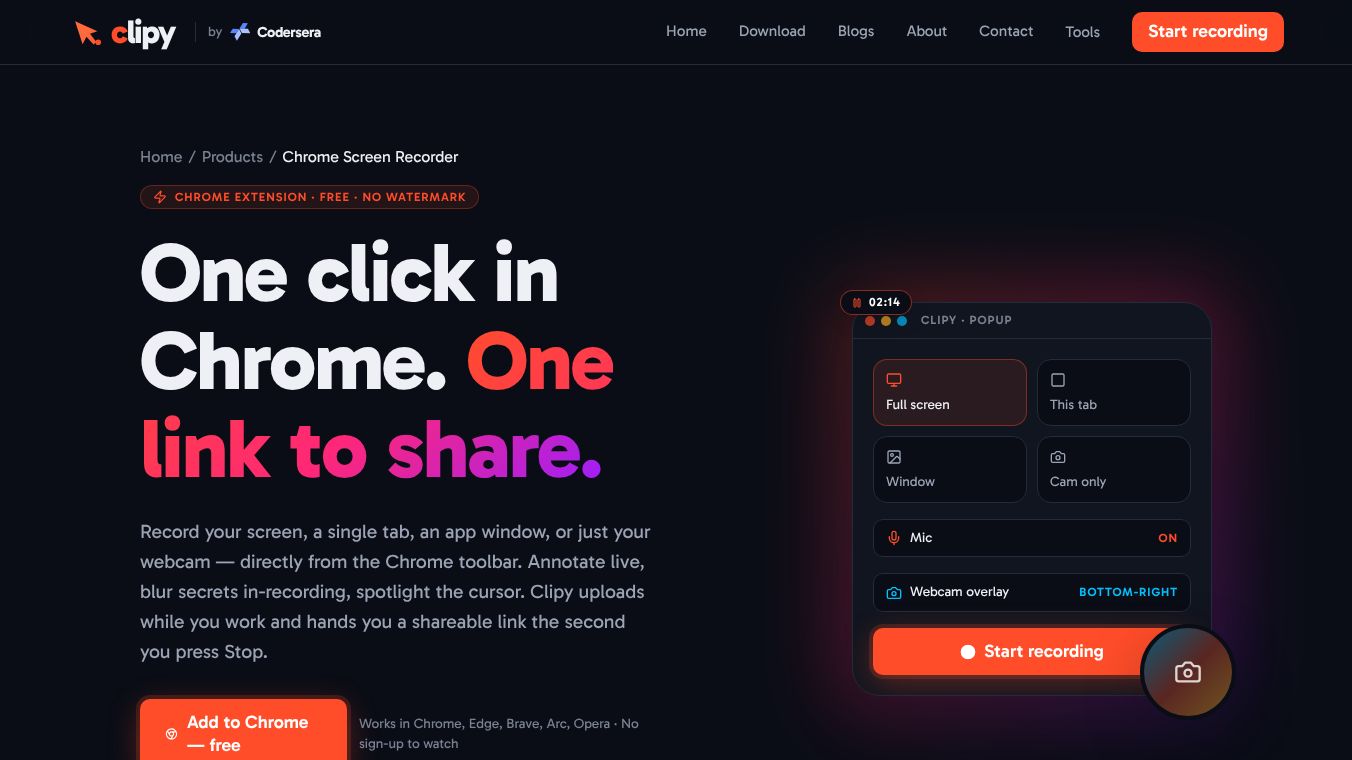





Clipy is a free tool that lets you record your computer screen directly inside your web browser. It works on Windows, Mac, and Linux without needing any software installation or creating an account. This makes it a fast way to capture videos for work, school, or personal projects.
Benefits
Clipy offers several advantages over other recording tools. It requires no installation or signup, so you can start recording immediately. There is no watermark on your videos, meaning the final file looks exactly as you recorded it. The tool allows for long-form recording without artificial time limits, unlike some competitors that cap videos at five minutes. You can edit your video directly in the browser to trim unnecessary parts before sharing. It also supports recording both your microphone and system audio at the same time.
Use Cases
Software engineers use Clipy to reproduce bugs quickly and share them with teams without scheduling meetings. Educators and creators record lectures or tool demos to share with students or followers. Customer support teams send short clips to explain specific steps to users, which reduces the need for long emails. The tool is also useful for recording async standups or code reviews where real-time communication is not possible.
Pricing
Clipy is completely free to use. There are no hidden fees, subscription plans, or watermarks on the free version. Users can download their recordings in MP4 or WebM formats.
Vibes
Users appreciate Clipy for its simplicity and speed. It is often praised for removing the friction of setting up recording software. Many find it superior to other free options because it does not limit video length or require an account. The ability to share a link instantly via email or messaging apps is a major plus for teams.
Additional Information
Clipy runs in any modern browser like Chrome, Edge, Brave, or Arc. Recordings stay in the browser session by default unless a share link is generated. The platform contains no ads and does not analyze recordings for data usage. It is designed to work across Windows, Mac, and Linux operating systems.
This content is either user submitted or generated using AI technology (including, but not limited to, Google Gemini API, Llama, Grok, and Mistral), based on automated research and analysis of public data sources from search engines like DuckDuckGo, Google Search, and SearXNG, and directly from the tool's own website and with minimal to no human editing/review. THEJO AI is not affiliated with or endorsed by the AI tools or services mentioned. This is provided for informational and reference purposes only, is not an endorsement or official advice, and may contain inaccuracies or biases. Please verify details with original sources.
 No Info


Comments
Please log in to post a comment.