ClawTab
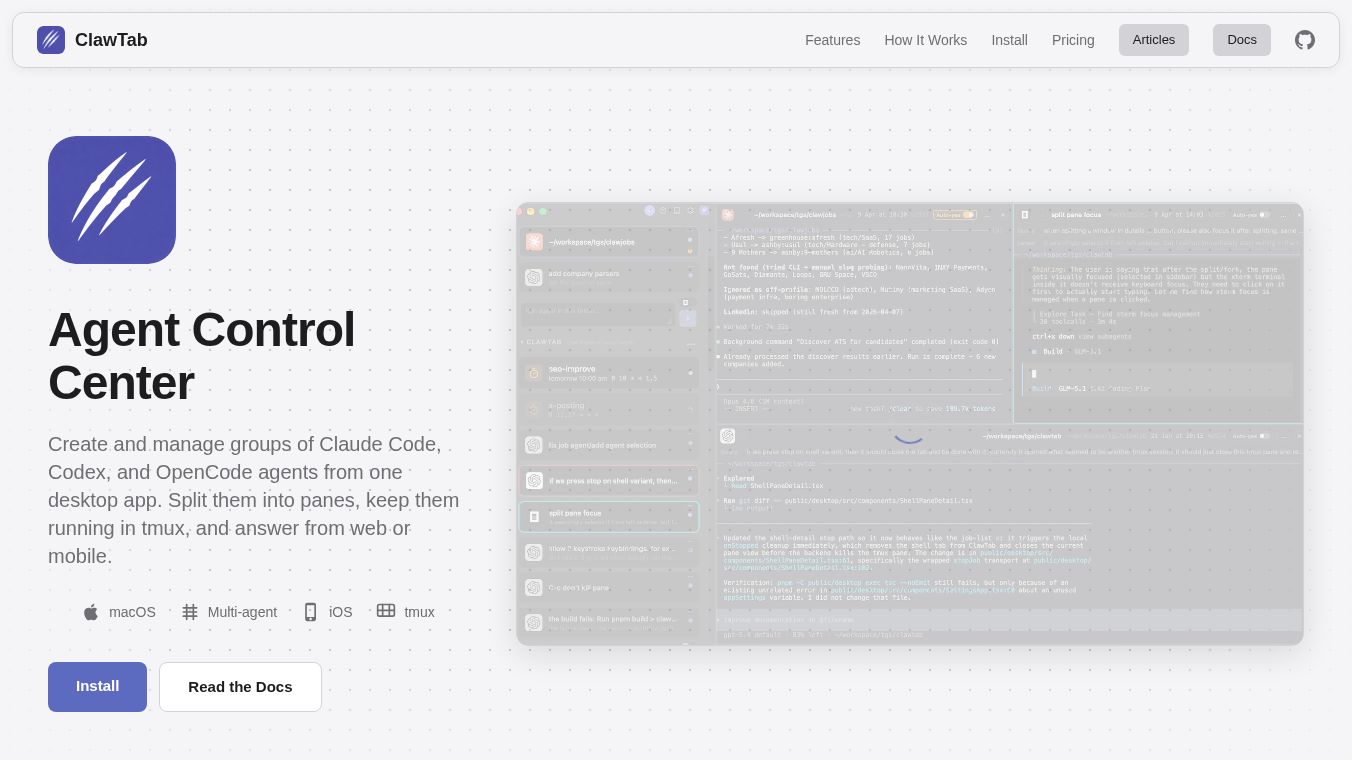





ClawTab is a desktop application for macOS that helps users create and manage groups of AI agents. Think of it as a central hub where you can bring together different AI tools like Claude Code, Codex, and OpenCode to work together.
Benefits
ClawTab makes it easier to use AI agents by letting you see and control them all from one place. You can split agents into different sections on your screen, keep them running in the background, and even answer their questions from your phone or a web browser. It supports using agents from different companies at the same time, so you can pick the best one based on cost or how well it performs. You can also set up automated tasks, like jobs that run on a schedule, and your agent sessions will stay active even if you restart the application. ClawTab also helps keep your sensitive information safe by using macOS Keychain and gopass for secrets, which are then added as environment variables for your jobs. You can get notified about job failures, successes, or when an agent needs your input, with alerts sent to your phone or Telegram.
Use Cases
ClawTab can automate many different kinds of tasks using pre-made templates. For example, you can use it for:
- Web and Social Media:Keep an eye on posts on X/Twitter, get summaries of Reddit discussions, track competitor websites, or monitor new launches on Product Hunt.
- Coding and Development:Have agents review code changes, create new tests, find outdated software parts, rewrite code, or update documentation.
- Content and Marketing:Draft blog posts, plan social media updates, check how well your website ranks in searches, or create lists of changes for software updates.
- Data and Research:Do market research, track prices of products, get summaries of research papers, or look at job market trends.
- DevOps and Monitoring:Check if your servers are healthy, make sure backups are working, monitor security certificates, and analyze system logs.
- Finance and Crypto:Keep track of cryptocurrency earnings, monitor your investment accounts, check exchange rates, and find special cryptocurrency offers.
- Personal Productivity:Draft emails, create weekly summaries of your work, or research topics for learning.
Pricing
The desktop application is free to use. There are optional paid services like ClawTab Remote for $4.99 per month, which provides a hosted server to connect your devices. Alternatively, you can set up your own server for free.
Vibes
ClawTab improves how you use the terminal by adding useful features like agent details, ways to group projects, searchable past conversations, the ability to answer agent questions from anywhere, notifications, and scheduled tasks.
This content is either user submitted or generated using AI technology (including, but not limited to, Google Gemini API, Llama, Grok, and Mistral), based on automated research and analysis of public data sources from search engines like DuckDuckGo, Google Search, and SearXNG, and directly from the tool's own website and with minimal to no human editing/review. THEJO AI is not affiliated with or endorsed by the AI tools or services mentioned. This is provided for informational and reference purposes only, is not an endorsement or official advice, and may contain inaccuracies or biases. Please verify details with original sources.




Comments
Please log in to post a comment.