Chatgpt Table of Contents extension
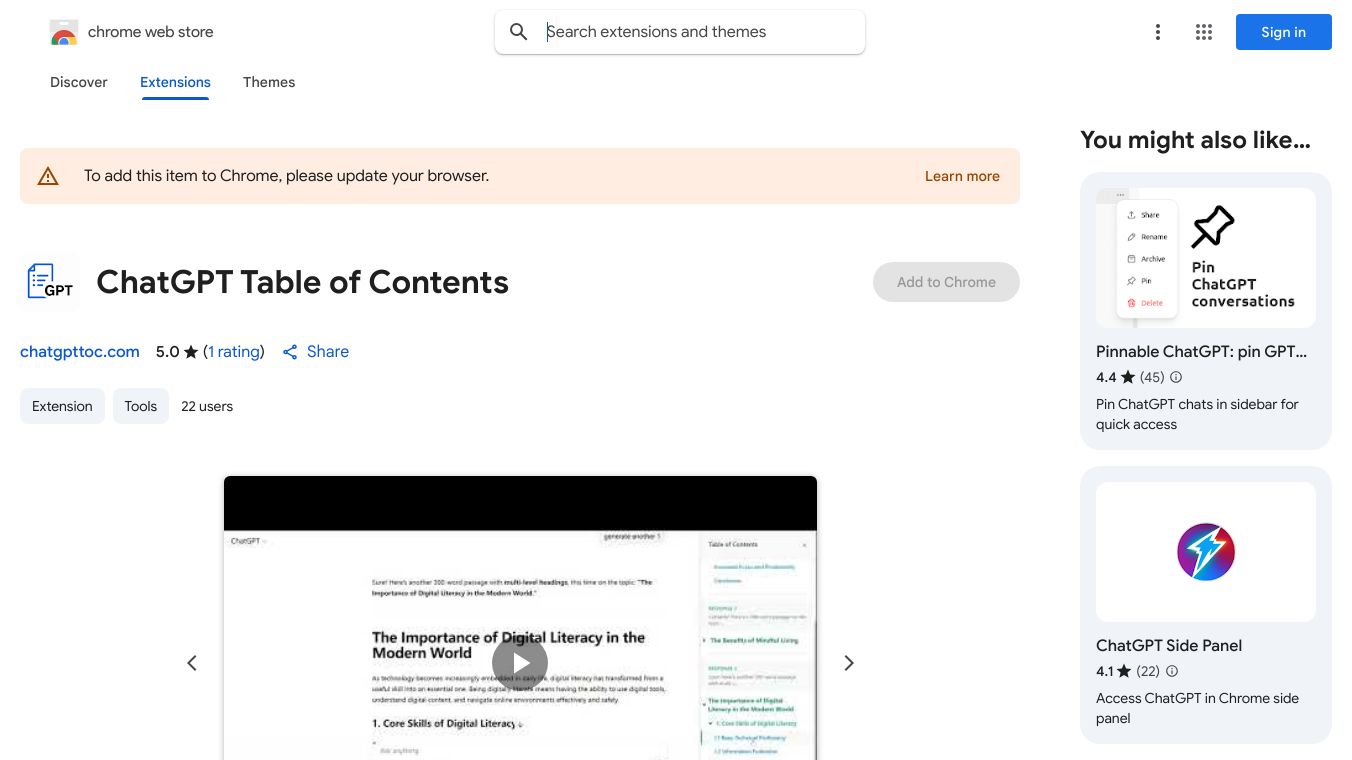





ChatGPT Table of Contents Extension
The ChatGPT Table of Contents (TOC) extension is a handy tool designed to make navigating long ChatGPT conversations a breeze. This lightweight Chrome extension adds an interactive table of contents to your ChatGPT chats, helping you quickly jump between prompts and sections without endless scrolling.
Benefits
The ChatGPT TOC extension offers several key advantages:
- Instant Table of Contents: With a single click, the extension generates a structured table of contents in a sleek sidebar, making it easy to see all the headings and sections in your ChatGPT conversation.
- Easy Navigation: Click any item in the TOC to instantly scroll to that part of the conversation. No more searching through long chats to find the information you need.
- Clean Sidebar: The sidebar is collapsible, ensuring a distraction-free experience while keeping your focus on the conversation.
- Smooth Scrolling: The extension provides smooth scrolling and accurate positioning, making it easy to follow along as you navigate through your chat.
- Active Prompt Highlighting: As you scroll, the active prompt is highlighted, helping you keep track of where you are in the conversation.
- Responsive Design: The extension is fully responsive, automatically collapsing on mobile devices for a seamless experience.
- Automatic Refresh: The TOC automatically refreshes when you switch sessions, ensuring you always have an up-to-date table of contents.
Use Cases
The ChatGPT TOC extension is particularly useful in the following scenarios:
- Research: When conducting research using ChatGPT, the TOC helps you quickly find and revisit specific pieces of information within long conversations.
- Brainstorming: During brainstorming sessions, the extension allows you to easily navigate between different ideas and prompts, keeping your thoughts organized and focused.
- Reference: If you use ChatGPT for reference purposes, the TOC makes it simple to locate and return to important sections of your chat.
How It Works
Using the ChatGPT TOC extension is straightforward:
- Open a ChatGPT conversation.
- Click the TOC button in your browser.
- The sidebar TOC appears, listing all headings and sections.
- Click any TOC item to instantly scroll to that part of the conversation.
Additional Information
The ChatGPT TOC extension is open-source, and you can clone or download the repository to install it manually. Here’s how:
- Go to chrome://extensions/ in your browser.
- Enable Developer Mode (top right).
- Click Load unpacked.
- Select the extension folder.
The extension is compatible with ChatGPT and works on various platforms, ensuring you can enjoy its benefits wherever you use ChatGPT.
This content is either user submitted or generated using AI technology (including, but not limited to, Google Gemini API, Llama, Grok, and Mistral), based on automated research and analysis of public data sources from search engines like DuckDuckGo, Google Search, and SearXNG, and directly from the tool's own website and with minimal to no human editing/review. THEJO AI is not affiliated with or endorsed by the AI tools or services mentioned. This is provided for informational and reference purposes only, is not an endorsement or official advice, and may contain inaccuracies or biases. Please verify details with original sources.




Comments
Please log in to post a comment.