chat.cx | Every AI chat in one panel
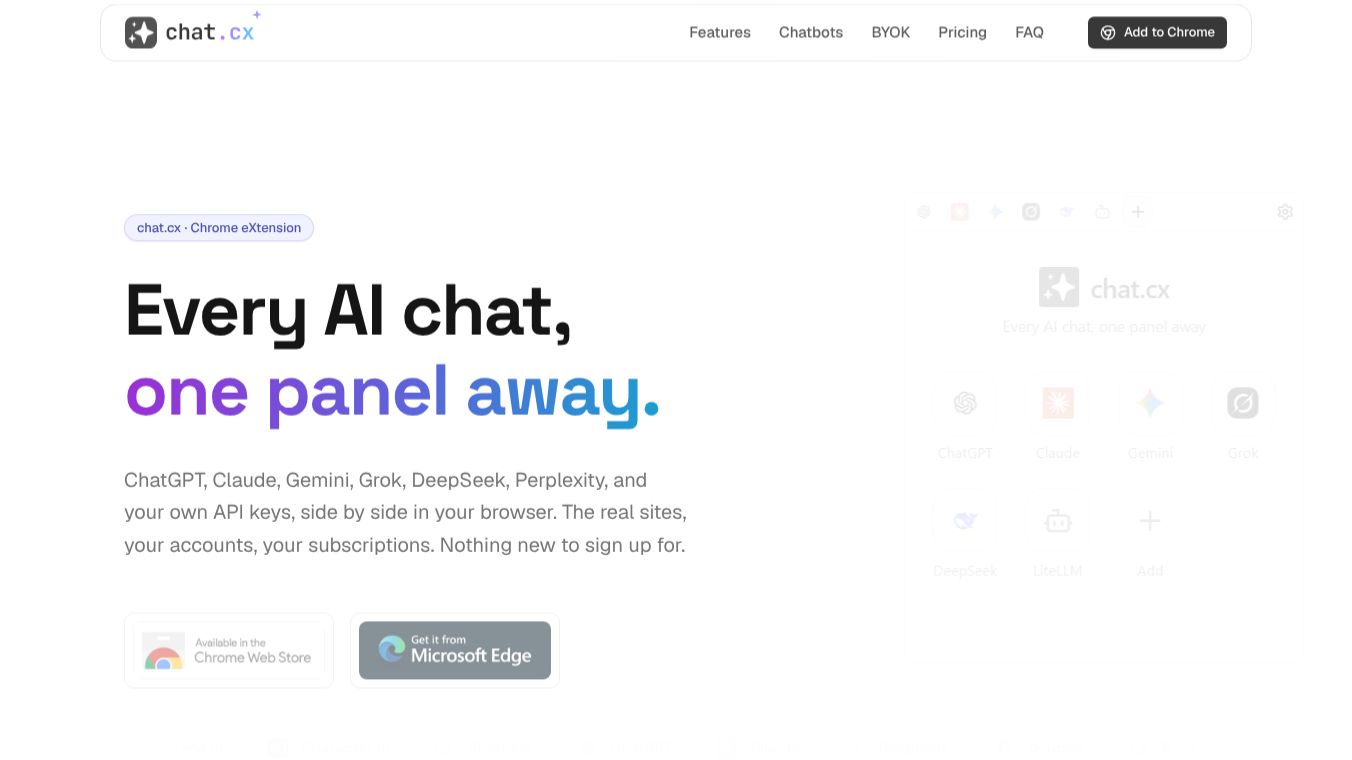





chat.cx: The Browser Extension for Unified AI Chat Management
Research Context and Background
chat.cx is a Chrome extension designed to bring multiple AI chat interfaces into one organized workspace. It allows users to access popular AI models like ChatGPT, Claude, Gemini, and Grok side by side within their browser. Unlike other tools that create fake interfaces, chat.cx embeds the real AI websites directly. This means users keep their existing accounts, subscriptions, and chat history without needing to sign up for new services or pay extra monthly fees.
Benefits
chat.cx offers several key advantages for anyone using AI tools regularly. First, it provides immediate access to new features because it uses the actual AI sites. When a provider updates their service, the change appears in chat.cx right away. Second, it ensures account continuity. Users sign in once to each service, and their history and subscription plans carry over seamlessly. Third, it prioritizes privacy. Traffic goes directly from the browser to the AI provider, with no intermediate servers handling user data. Finally, it supports flexibility. Users can choose how they want to interact with the extension, whether through a compact side panel, a quick popup, a full page, or a standalone app window.
Use Cases
chat.cx is useful for anyone who needs to compare different AI responses or manage multiple conversations at once. For example, a researcher might open ChatGPT and Claude side by side to see how each handles a complex question. A developer could use it to test prompts across different models while keeping their code visible in another tab. The tool also integrates well with web browsing. Users can send the entire text of a webpage, a specific selection, or even a screenshot to an AI chat for analysis. This is helpful for summarizing long articles or extracting data from websites. Additionally, users who prefer local models can connect their own API keys or use local software like Ollama or LM Studio through the extension.
Pricing
chat.cx offers a free plan and an optional Early Supporter license. The free plan allows users to open up to five chat tabs. It includes access to all chatbots in the catalog, page text and screenshot integration, and support for side panel or full-page views. It also supports custom API keys and web search tools. The Early Supporter license is a one-time payment where users can pay what they want. This license unlocks unlimited chat tabs, all features from the free plan, and access to future pro features. It also includes multi-device support. The license key is sent via email and must be activated in the extension settings.
Vibes
chat.cx has received positive feedback for its straightforward approach to AI management. Users appreciate that it does not require a login or onboarding process. Many note that it feels like a natural extension of their existing workflow rather than a separate tool. The ability to keep chats open in the background while browsing other pages is frequently highlighted as a major productivity booster. Reviewers also value the transparency of the tool, noting that it does not relay data through its own servers. The option to pay what you want for the premium license is seen as a fair and flexible pricing model.
Additional Information
chat.cx is an independent browser workspace and is not affiliated with the AI services it supports. It currently supports Chromium-based browsers such as Google Chrome, Microsoft Edge, and Brave. Firefox support is not yet available. The extension stores API keys and chat history locally on the user's device. These keys are never synced to the cloud or sent to any external server except the configured API endpoint. This design ensures that user data remains private and under their control.
This content is either user submitted or generated using AI technology (including, but not limited to, Google Gemini API, Llama, Grok, and Mistral), based on automated research and analysis of public data sources from search engines like DuckDuckGo, Google Search, and SearXNG, and directly from the tool's own website and with minimal to no human editing/review. THEJO AI is not affiliated with or endorsed by the AI tools or services mentioned. This is provided for informational and reference purposes only, is not an endorsement or official advice, and may contain inaccuracies or biases. Please verify details with original sources.



Comments
Please log in to post a comment.