Caption Room





What is Caption Room
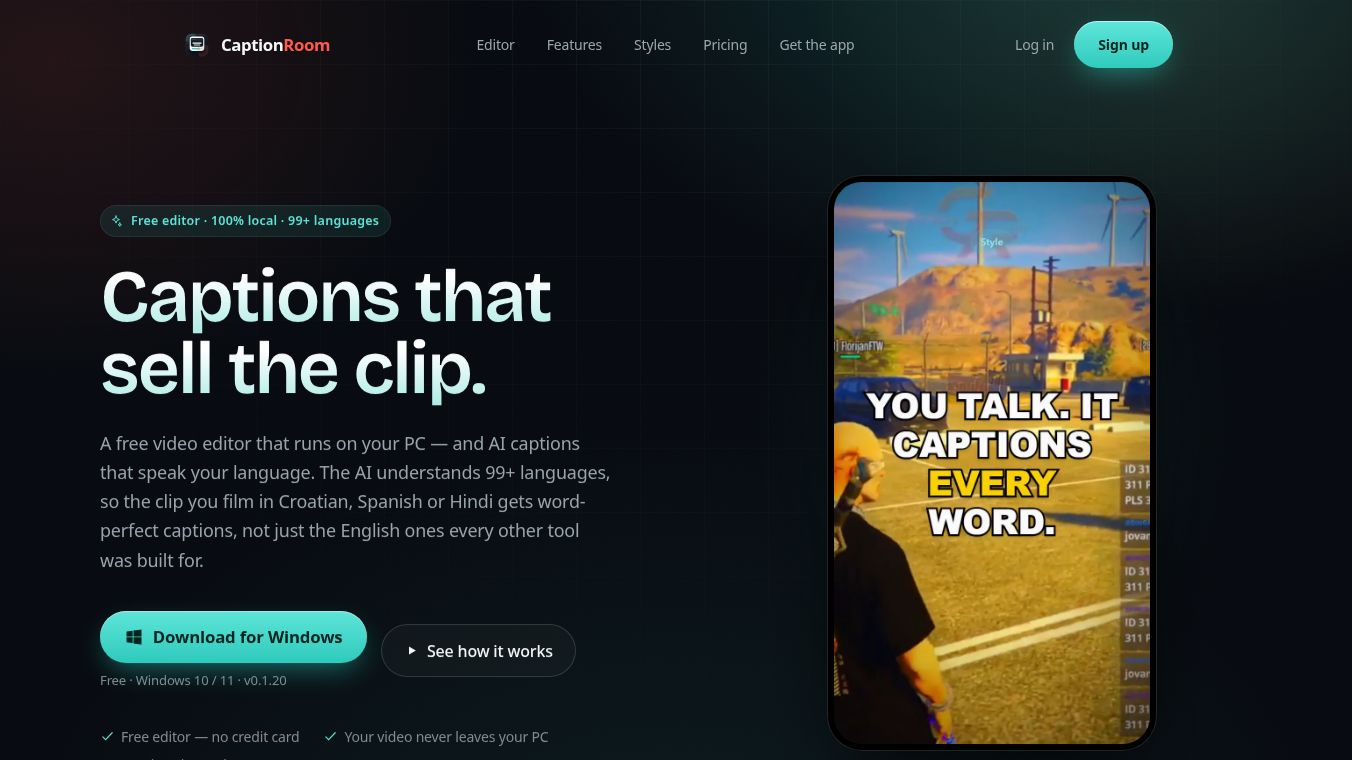
Caption Room is a free video editor built for Windows 10 and Windows 11 computers. It is designed to help creators add captions, edit videos, and prepare content for social media without needing to upload their files to the cloud. Unlike many online tools that require you to send your video to a server, Caption Room runs entirely on your own computer. This setup ensures that your footage stays private and never leaves your hard drive.
Benefits
Caption Room offers several key advantages for video creators who care about speed and security.
- Privacy First:Your video files remain on your local drive. When using AI features, only a small audio file is sent to the server for transcription, while the video itself is never uploaded or stored.
- Fast Performance:The app uses your computer's hardware to process video. This means no waiting in upload queues or dealing with external render servers. Edits and exports happen quickly.
- No Watermarks:Users can export clean videos without any watermarks on both the free and Pro plans.
- Multilingual Support:The AI captioning tool supports over 99 languages. This includes many languages like Croatian, Spanish, and Hindi that other tools often miss.
- Advanced Editing:Beyond captions, the tool includes a full timeline editor. Users can cut clips, manage audio tracks, adjust colors, and stack multiple video layers together.
- Brand Consistency:The Pro version allows users to save their specific colors, logos, and caption styles. These brand kits can be applied instantly to every project.
Use Cases
Caption Room is ideal for content creators who need to produce videos for platforms like TikTok, Instagram Reels, and YouTube Shorts.
- Social Media Optimization:The tool can automatically crop and center captions to fit specific aspect ratios. Users can select a target platform, and the export will adjust the video to fit that feed perfectly.
- Global Reach:Creators can translate their captions into 50+ languages instantly. This allows a single video clip to be posted to audiences around the world.
- Shorts Creation:The AI can scan long videos to find the most shareable moments. It then exports these moments as individual captioned shorts with generated titles and hooks.
- Professional Editing:Users who need more than just captions can use the timeline to remove dead air, balance audio levels, and add text titles or logos.
- Clean Transcripts:The AI can remove filler words like "um" or "uh" from the transcript. This creates a cleaner read for viewers.
Pricing
Caption Room follows a freemium model with a clear distinction between basic and advanced features.
- Free Plan:The core video editor is free forever. This includes cutting, layering, adding text, overlays, music, color tools, and exporting in 1080p. There are no watermarks. Manual captioning is also available for free.
- Pro Plan:This tier unlocks the advanced AI features. It includes support for 99+ languages, word-timed precision captions, translation into 50+ languages, and access to all five visual caption styles. It also unlocks Brand Kits and AI Clips. Like the free plan, the Pro version does not add watermarks.
Vibes
Users appreciate Caption Room for its focus on privacy and performance. Reviews highlight that it feels like a real desktop application rather than a slow web tool. Many creators value the ability to work offline and keep their data secure. The support for many languages is often praised as a major advantage over competitors that focus only on English. The lack of watermarks on exports is another point of satisfaction for users who want professional results without extra costs.
Additional Information
Caption Room is currently available as version 0.1.20 for Windows 10 and 11 on 64-bit systems. The application checks for updates automatically when it launches, so users do not need to reinstall it manually. To use the software, a free Caption Room account is required for sign-in. The developers have positioned the tool as a strong alternative to cloud-based editors by keeping the rendering process local on the user's machine.
This content is either user submitted or generated using AI technology (including, but not limited to, Google Gemini API, Llama, Grok, and Mistral), based on automated research and analysis of public data sources from search engines like DuckDuckGo, Google Search, and SearXNG, and directly from the tool's own website and with minimal to no human editing/review. THEJO AI is not affiliated with or endorsed by the AI tools or services mentioned. This is provided for informational and reference purposes only, is not an endorsement or official advice, and may contain inaccuracies or biases. Please verify details with original sources.




Comments
Please log in to post a comment.