Cai
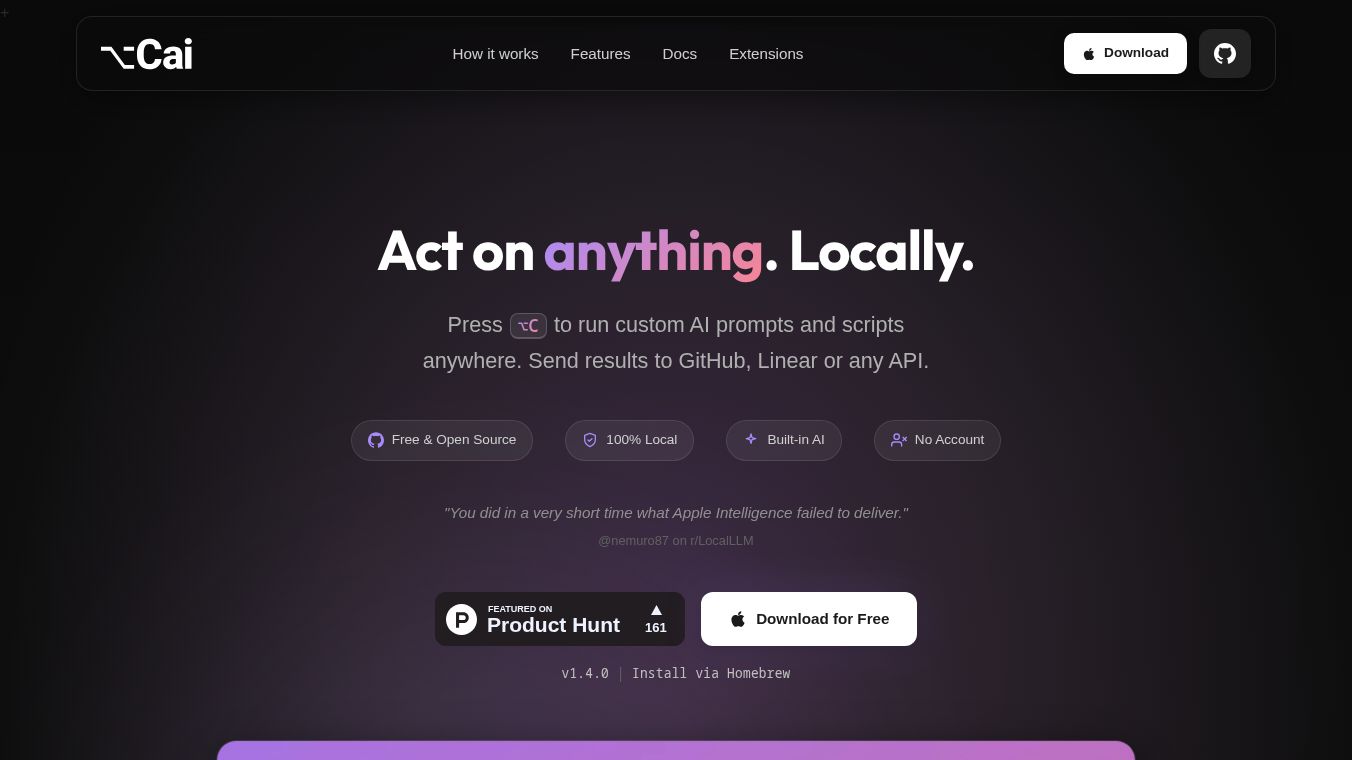





Cai is a free and open-source tool designed for macOS users who want to use artificial intelligence without leaving their current application. It acts as a local action layer that lets users process text or images instantly by selecting them and pressing a shortcut key. The software runs entirely on the user's computer by default, which protects privacy, but it can also connect to cloud services if needed. It is built with the MIT license, meaning anyone can use it without creating an account or paying a subscription fee.
Benefits
Cai offers several key advantages over other AI tools. The most important benefit is zero app switching. Users can highlight text in any program like Slack, VS Code, or Terminal and trigger AI actions directly from that context. This removes the need to copy and paste data or navigate between different tabs. The tool also provides smart actions that automatically detect what is selected and suggest relevant tasks. These include generating responses, extracting text from images, fixing grammar, translating content, and creating tasks in project management tools like GitHub or Linear. Users can also customize the tool by building their own action library using custom prompts, shell scripts, or URL actions. This flexibility allows the software to become a personal workflow assistant tailored to specific needs.
Use Cases
Cai is useful for anyone working on a Mac who needs quick AI assistance during their daily tasks. Developers can use it to summarize code errors or generate GitHub issues directly from a selected error message. Designers can extract text from screenshots or images within Figma without losing their focus. Writers can fix grammar or translate selected paragraphs instantly while drafting emails or documents. Project managers can create calendar events or Linear tickets based on selected text. Because it works in any text field and requires only accessibility permissions, it integrates seamlessly into existing workflows without disrupting the user's concentration. It is particularly helpful for users who want to leverage local AI models for privacy or prefer the speed of cloud APIs for complex tasks.
Pricing
Cai is completely free to download and use. There are no subscription fees, trials, or mandatory accounts required for the core functionality. The software is open-source and licensed under the MIT license. If users choose to use cloud-based AI models, they may incur costs depending on the pricing of the specific provider they connect to, such as OpenRouter or Hugging Face. However, the app itself remains free regardless of these choices.
Vibes
The community reception for Cai is positive, focusing on its efficiency and privacy. Users appreciate that it does not require an account or force them to switch applications. Many find the ability to run models locally attractive for those concerned about data security. The open-source nature of the project builds trust among developers and power users who value transparency. Early adopters have praised the simplicity of installation via Homebrew and the effectiveness of the smart actions. The tool is seen as a practical solution for streamlining workflows on macOS without the bloat of commercial AI suites.
Additional Information
Cai is developed by a team focused on privacy and efficiency. It supports various AI engines including the built-in Ministral 3B model via MLX, native Apple Intelligence on newer macOS versions, and local servers like LM Studio and Ollama. It is compatible with many popular models such as Llama, Mistral, Qwen, and Gemma. The software requires macOS Accessibility permissions to function across all applications, which is necessary for capturing selected text via a simulated command. Users can install it easily using the Homebrew package manager. The project has a growing community that can be joined for updates and early access to new features through a Discord server.
This content is either user submitted or generated using AI technology (including, but not limited to, Google Gemini API, Llama, Grok, and Mistral), based on automated research and analysis of public data sources from search engines like DuckDuckGo, Google Search, and SearXNG, and directly from the tool's own website and with minimal to no human editing/review. THEJO AI is not affiliated with or endorsed by the AI tools or services mentioned. This is provided for informational and reference purposes only, is not an endorsement or official advice, and may contain inaccuracies or biases. Please verify details with original sources.





Comments
Please log in to post a comment.