bx - macOS sandboxing for AI
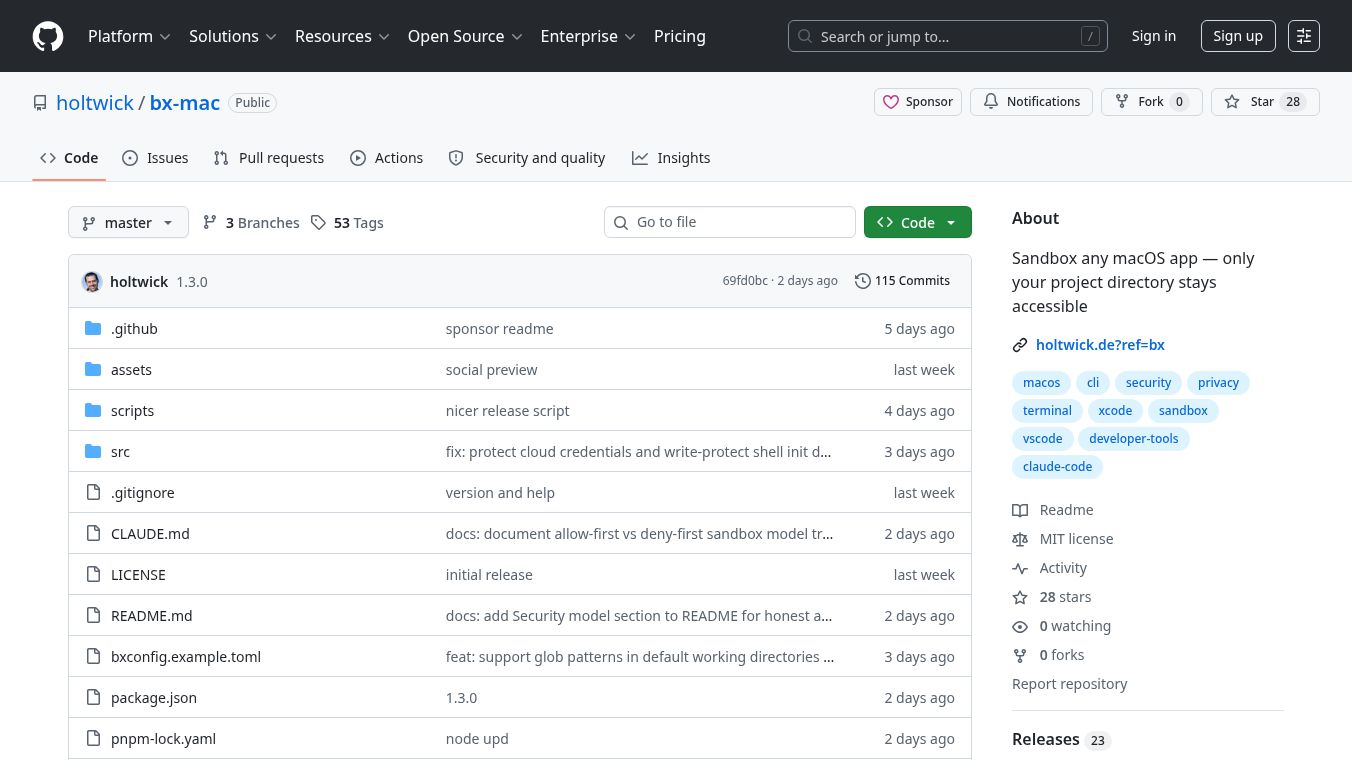





bx is a tool for macOS that helps keep your sensitive files safe when you use AI coding assistants. It works by creating a secure environment, called a sandbox, for any application you choose. This sandbox only allows the application to access the specific project folder you want it to use. This is important because AI tools like Claude Code or Copilot often need to read many files, and they could accidentally expose private information.
Benefits
bx acts as a protective shield for your data. It stops AI tools from accessing important folders like your Documents, Desktop, or Downloads. It also prevents them from seeing other projects on your computer or sensitive hidden files like those used for secure connections (~/.ssh) or digital keys (~/.gnupg). bx is smart about protecting your~/Libraryfolder, blocking access to private parts like Mail or Photos while still letting necessary tools work. It ensures that popular tools like VSCode, extensions, shells, and Node.js run smoothly within the sandbox. bx can also create its own sandbox rules based on what's in your home folder and lets you use.bxignorefiles to hide secrets within your project, like.envfiles. You can even allow multiple working directories inside one sandbox.
Use Cases
bx is useful for anyone using AI coding tools on a Mac who wants to protect their personal data. Developers can use it to safely run AI assistants without worrying about their code or personal files being exposed. It's ideal for projects that might contain sensitive information or when working with AI tools that require broad file access. You can use bx to launch VSCode, Xcode, a terminal, or even specific AI command line tools like Claude Code, all within a controlled environment. It can also run any other application you specify, making it a versatile tool for secure development workflows.
Vibes
While specific reviews are not detailed, the design of bx suggests it offers a practical safety net for developers concerned about AI tools accessing their file system. Its approach of blocking sensitive areas while allowing necessary functions aims to provide peace of mind without hindering productivity.
Additional Information
bx can be installed easily using Homebrew (brew install holtwick/tap/bx) or npm (npm install -g bx-mac). It requires macOS and Node.js version 22 or newer. bx works by generating a macOS sandbox profile when an application starts. It scans your home directory, blocks areas you haven't specified, and carefully manages exceptions for your working directories and other important locations. It uses a method called "allow-first" which means it blocks specific sensitive paths rather than requiring you to list every path that should be allowed. This helps prevent issues with tools that interact with many different files. bx also includes checks to prevent common problems, like trying to run a sandbox inside another sandbox or warning you if the app you're trying to sandbox is already running.
This content is either user submitted or generated using AI technology (including, but not limited to, Google Gemini API, Llama, Grok, and Mistral), based on automated research and analysis of public data sources from search engines like DuckDuckGo, Google Search, and SearXNG, and directly from the tool's own website and with minimal to no human editing/review. THEJO AI is not affiliated with or endorsed by the AI tools or services mentioned. This is provided for informational and reference purposes only, is not an endorsement or official advice, and may contain inaccuracies or biases. Please verify details with original sources.

Comments
Please log in to post a comment.