BgRemove





BgRemove: A Comprehensive Review and Analysis
Overview
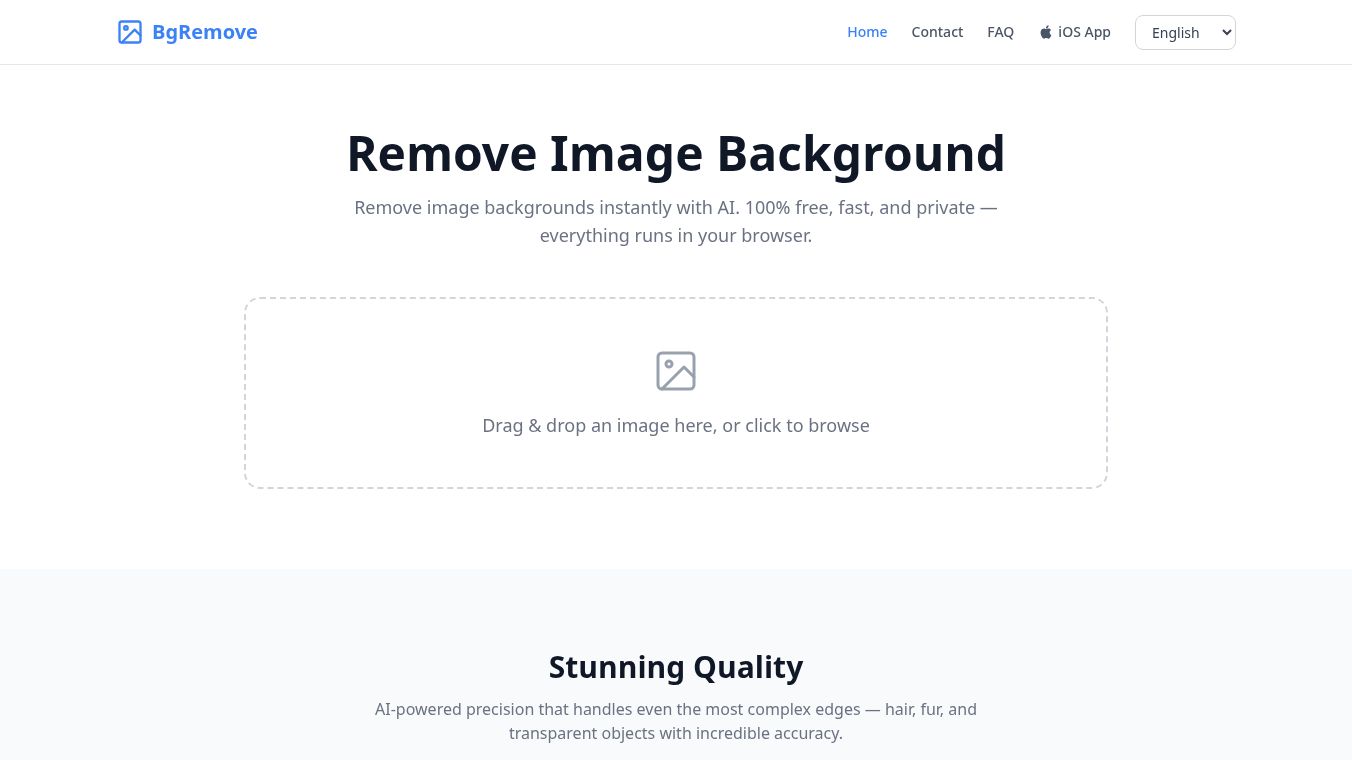
BgRemove is an innovative, AI-powered tool designed to simplify the process of removing backgrounds from images. Launched on Product Hunt, it has quickly gained attention for its user-friendly interface and efficiency, making it an ideal solution for designers, pet owners, social media managers, and small business owners. The tool is particularly noted for its ability to provide quick and efficient cutouts of people and pets.
Key Features and Specifications
- AI Technology: Utilizes advanced AI algorithms to detect and remove backgrounds with high accuracy for straightforward images.
- User Interface: Offers a straightforward, easy-to-use interface suitable for both casual users and professionals.
- Processing Speed: Known for fast processing times, typically under a minute.
- API Availability: Provides an API for integration with various platforms, enhancing its utility for developers and businesses.
- Integrations: Compatible with major social media platforms, facilitating seamless workflow integration.
- Deployment: Operates as a web-based application, ensuring accessibility from any device with an internet connection.
Pricing and Tiers
BgRemove offers a flexible pricing model to cater to different user needs:-Free Tier: Allows users to process up to 5 images per month. This tier includes limited customer support, primarily via email.-Pro Version: Available at no cost, offering unlimited access to the background removal feature. This tier is perfect for users requiring regular use without the constraints of the free plan.
Pros and Cons
Pros
- Ease of Use: The tool is praised for its intuitive interface, making it accessible to users with varying levels of technical expertise.
- Speed: Fast processing times ensure that users can quickly obtain their edited images.
- Quality: Produces high-quality results for most images, particularly those with clear subjects and minimal background complexity.
- Value: The free tier and no-cost Pro version offer excellent value for casual users and small businesses.
Cons
- Limited Advanced Features: Lacks advanced editing capabilities, which may be a drawback for professional photographers or those requiring high-end editing tools.
- Complex Backgrounds: May occasionally struggle with intricate or detailed backgrounds, leading to inaccuracies in some cases.
- No Batch Processing: Currently does not support batch processing, which could be a limitation for users handling large volumes of images.
- Support Limitations: Free tier users have limited access to customer support options.
Community Sentiment and Benchmarks
BgRemove received a positive reaction upon its launch on Product Hunt, garnering nine upvotes. Users frequently highlight its ease of use and efficiency. However, some users have expressed a desire for more advanced editing options.
In terms of benchmarks, BgRemove consistently performs well in removing backgrounds for straightforward images, with a notable speed advantage over some competitors. Its GAX Score in the Design category is 75/100, ranking it #2 out of 100 design tools. Key performance metrics include:-Output Quality: 80/100-User Experience (UX): 85/100-Pricing: 70/100-Integrations: 60/100-Latency: 75/100-Support: 70/100-Trust: 90/100-Ecosystem: 65/100
Comparison with Competitors
BgRemove stands out in several areas but also has specific use cases where other tools might be more suitable:-Remove.bg: Best for handling complex backgrounds, though it is paid-only and lacks a free tier.-PhotoScissors: Ideal for batch processing needs, priced at $29.99 with limited free features.-Clipping Magic: Great for precision editing, available at $3.99/month with a free tier.
Use-Case Recommendations
When to Use BgRemove
- Quick Edits: Ideal for users needing quick edits for social media visuals.
- Small Businesses: Perfect for small business owners with limited design resources who need product images with clean backgrounds.
- Personal Use: Suitable for individuals looking for a simple tool for personal photo editing.
When to Consider Alternatives
- Advanced Editing: If you require advanced editing options for detailed work, other tools might be more appropriate.
- Complex Backgrounds: For images with intricate backgrounds, tools like Remove.bg may offer better results.
Reliability and Future Outlook
BgRemove demonstrates solid uptime and reliable performance. Backed by a dedicated team, the tool shows promise for future updates and enhancements as user needs grow. The editorial review confirms that BgRemove is an independent product with no editorial approval, ensuring unbiased information.
Frequently Asked Questions
- What types of images work best with BgRemove?BgRemove performs best with images featuring clear subjects and minimal background complexity.
- Is there a limit to the number of images I can process?The free tier allows up to 5 images per month, while the Pro version has no limits.
- Can I integrate BgRemove with other software?Yes, BgRemove offers an API for integration with various platforms.
- Is customer support available for free tier users?Limited support is available for free tier users, primarily through email.
Conclusion
BgRemove is a powerful and user-friendly background remover that offers a simple and efficient solution for a wide range of users. While it may not meet the needs of professional photographers or those requiring advanced editing features, it excels in providing quick, reliable results for casual users and small businesses. With its free tier and no-cost Pro version, BgRemove offers excellent value, making it a strong contender in the background removal tool market.
Verdict: BgRemove is worth it for individuals and small businesses needing a quick, reliable tool for background removal without the hassle of complex software. However, those looking for advanced editing features may want to explore other options.
Last Verified: May 2025. Check bgremove.uk for current details.
This content is either user submitted or generated using AI technology (including, but not limited to, Google Gemini API, Llama, Grok, and Mistral), based on automated research and analysis of public data sources from search engines like DuckDuckGo, Google Search, and SearXNG, and directly from the tool's own website and with minimal to no human editing/review. THEJO AI is not affiliated with or endorsed by the AI tools or services mentioned. This is provided for informational and reference purposes only, is not an endorsement or official advice, and may contain inaccuracies or biases. Please verify details with original sources.




 No Info

Comments
Please log in to post a comment.