Beatsogram!
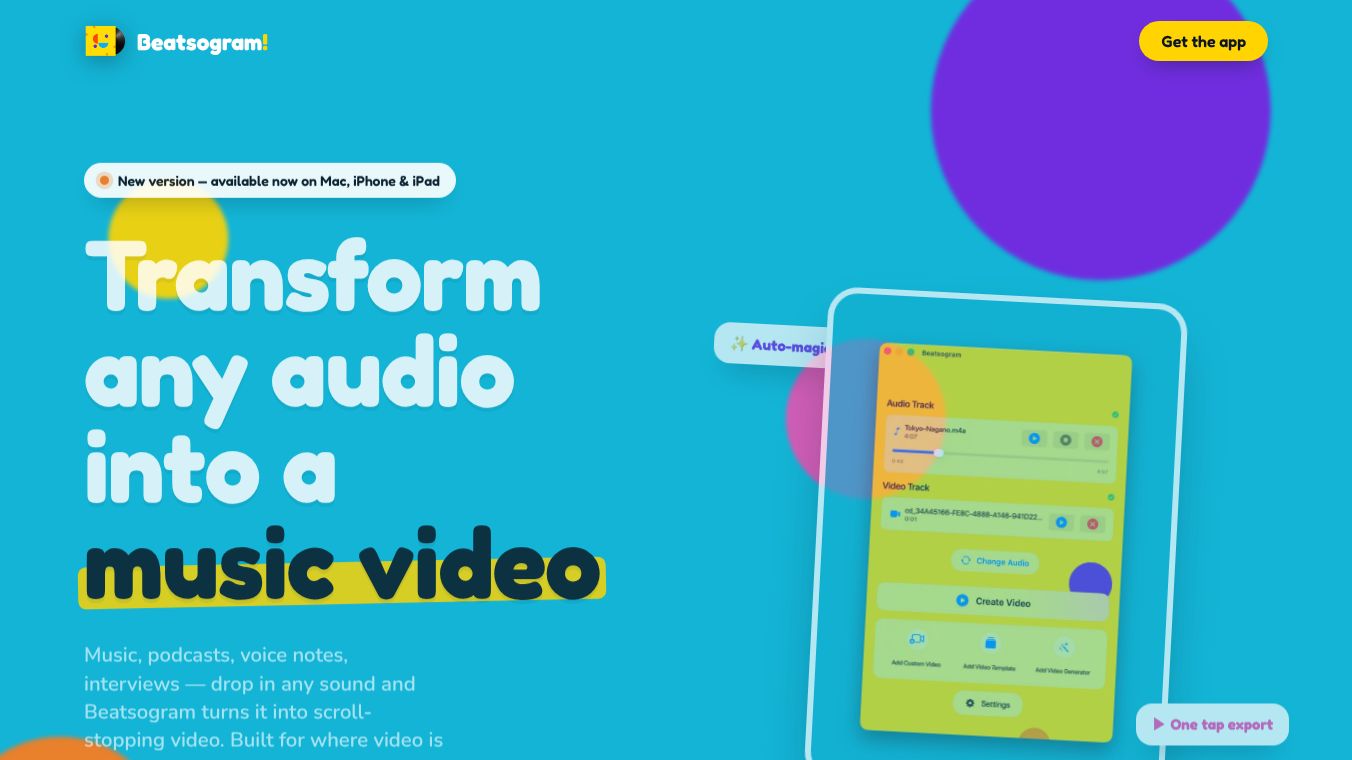





Beatsogram: Transform Any Audio into Shareable Video
Beatsogram is a versatile tool designed to convert audio files into engaging, shareable videos. Whether you are a musician, podcaster, creator, or professional, Beatsogram allows you to turn sound into visual experiences optimized for social media feeds.
Benefits
Beatsogram makes it easy to create high-quality videos from any audio file. The process is streamlined into three simple steps. Users can import various audio formats like m4a, mp3, and wav by simply dragging and dropping them into the app. Once the audio is loaded, users can pick a visual style. Options include a crisp waveform for podcasts, a spinning vinyl record with custom cover art, a retro cassette tape, a custom CD design, or a custom background with your own video or image. The tool automatically loops the visuals to match the exact length of the audio file. It then exports a clean, high-quality video in square, vertical, or wide formats. Users have full control to tweak every pixel of the generated visuals. They can apply solid colors, gradients, or custom images behind the spinning discs. A live preview feature ensures that what you see on the screen is exactly what gets exported. The app also includes a wallpaper library with themes like Sunshine, Bubblegum, Grape, and Lagoon to change the interface color scheme. Beatsogram features a Living Interface that syncs across devices. Users can build a specific look on their Mac, and when they open the project on their iPhone or iPad, the interface and wallpaper settings are already applied for a consistent experience.
Use Cases
Beatsogram is built for anyone with audio worth seeing. Musicians can turn their tracks into visual experiences that audiences are more likely to share. Podcasters can quickly cut episode highlights into clips optimized for social feeds. Creators can generate video content consistently to feed social media algorithms. Professionals can create polished visuals for talks, demos, and interviews. The tool works on Mac, iPhone, and iPad, making it accessible for users who need to create content on the go or in a studio setting.
Pricing
Pricing details are not available in the provided information.
Vibes
Public reception and specific reviews are not available in the provided information.
Additional Information
Funding, partnerships, or notable achievements are not available in the provided information.
This content is either user submitted or generated using AI technology (including, but not limited to, Google Gemini API, Llama, Grok, and Mistral), based on automated research and analysis of public data sources from search engines like DuckDuckGo, Google Search, and SearXNG, and directly from the tool's own website and with minimal to no human editing/review. THEJO AI is not affiliated with or endorsed by the AI tools or services mentioned. This is provided for informational and reference purposes only, is not an endorsement or official advice, and may contain inaccuracies or biases. Please verify details with original sources.



 No Info
Comments
Please log in to post a comment.