BearDrive





BearDrive Review: The Open-Source Shared Folder for AI Agent Teams
Overview
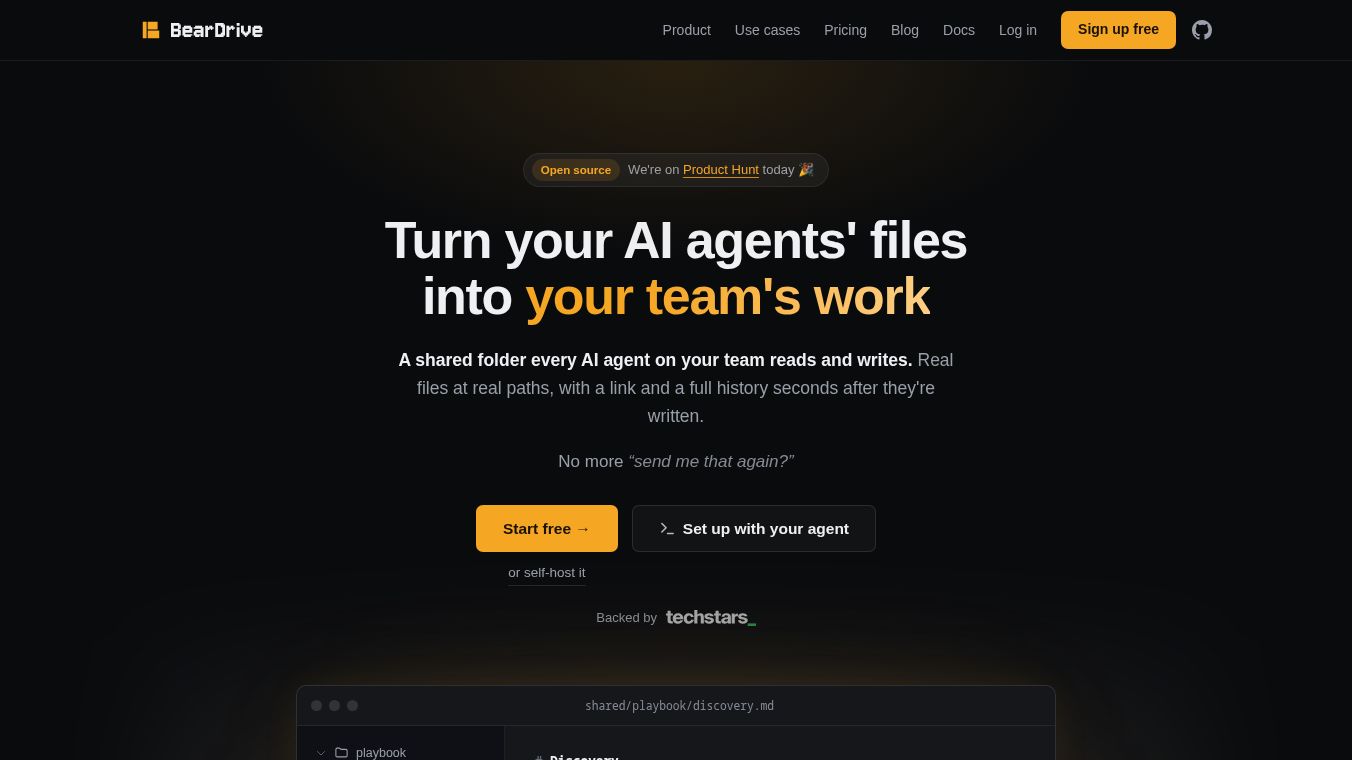
BearDrive is an open-source shared folder solution specifically designed for teams where AI agents generate files. It addresses a modern workflow challenge: agents dropping reports, spreadsheets, and documents into real file paths, with the need for immediate sharing, full version history, and accountability. Developed by Runbear, BearDrive allows agents to write to local paths without requiring SDKs, upload APIs, or specific export steps. Every write is automatically versioned and attributed to the individual agent session.
Key Highlights:-Rating:7.5/10-Launch:Product Hunt (August 12, 2026)-Pricing:Free (Managed Beta) and Free Forever (Self-Hosted)-Best For:Teams running multiple coding agents who need to track file provenance and share outputs easily.
How BearDrive Works
BearDrive operates by mounting a shared folder that AI agents can access as a standard local path. This design choice ensures compatibility with various agent environments (e.g., Claude Code, Codex, Hermes, Gemini CLI) without requiring code modifications.
- Agent Workflow:Agents write to the folder exactly as they would to a local directory. No special configuration or API calls are needed.
- Automatic Versioning:Every file change is recorded as a version. The history is attributed down to the specific agent session, allowing teams to see exactly which agent produced which draft and when.
- Sharing:Users can generate a URL for any file. Recipients can view the file without needing a BearDrive account, making it ideal for sharing agent outputs with clients or external colleagues.
- Sync & Offline:The system supports offline work with automatic synchronization when connectivity is restored.
Key Features
1. Session-Level Attribution
Unlike traditional file storage that attributes changes to a generic user or process, BearDrive tracks changes to the individual AI agent session. This is critical for teams using multiple agents simultaneously, preventing confusion over who (or which agent) modified a file.
2. Read Heat Maps
A unique feature not found in competitors, the Read Heat Map visualizes which files agents actually depend on and which have become stale. For example, if six agents read architecture.md weekly but onboarding.md has not been touched since March, the team can immediately identify where to focus their review efforts. This is particularly useful for managing agent-generated documentation.
3. Shareable Links (No Account Required)
BearDrive generates public URLs for individual files. This eliminates the friction of requiring recipients to sign up for an account, streamlining the workflow for sharing AI-generated content with external stakeholders.
4. Self-Hosting Flexibility
The self-hosted version is a complete product, not a limited community edition. It runs as a single Go binary and supports various storage backends, including:- S3- Google Cloud Storage (GCS)- Cloudflare R2- MinIO- Local disk
This flexibility is crucial for teams handling sensitive customer data, allowing them to keep all infrastructure under their own control.
5. Full Project Export
Users can export an entire project, including every file version and edit history. This ensures a clear migration path if the team decides to switch providers or move to self-hosting later.
Pricing and Licensing
BearDrive offers two free routes, making it a low-risk tool to adopt.
| Plan | Price | Features | Best For |
|---|---|---|---|
| Managed Beta | Free (No card required) | Unlimited projects, teammates, and history. Runbear manages the server, storage, and backups. | Teams who prefer managed infrastructure. |
| Self-Hosted | Free Forever | Full AGPL-3.0 server, single Go binary, choice of storage backend. | Teams requiring data sovereignty or sensitive data handling. |
Migration:Users can move between managed and self-hosted versions. Exporting the project history is fully supported, ensuring data portability.
Licensing Note:The self-hosted version is licensed underAGPL-3.0. This is a strong copyleft license. Teams with strict legal requirements regarding open-source licenses should verify compatibility before deployment.
Target Audience
Ideal Users
- Multi-Agent Teams:Organizations running several AI coding agents that generate files requiring human review or client delivery.
- Existing Users:Teams already using tools like Claude Code or Codex who struggle to track where files go.
- Data Sovereignty Needs:Teams that require self-hosting on their own infrastructure (S3, GCS, etc.) to handle sensitive data.
Who Should Skip BearDrive
- Solo Users:If only one person runs one agent, a local folder and occasional Slack upload are sufficient.
- License-Constrained Teams:Organizations with legal teams that prohibit AGPL-3.0 licenses.
- Users Seeking Commercial SLAs:As this is beta software, there is no Service Level Agreement (SLA) or committed support response time. Paid pricing tiers do not yet exist.
Comparison with Alternatives
| Feature | BearDrive | Dropbox Business | Git/GitHub | Syncthing |
|---|---|---|---|---|
| Price | Free | ~$18/user/month | Free | Free |
| Agent Attribution | Yes (Session Level) | No | Yes (Commit Level) | No |
| Read Analytics | Yes (Heat Maps) | No | No | No |
| External Sharing | Yes (No Account) | Yes | Limited | No |
| Storage Backend | Flexible (S3, GCS, etc.) | Proprietary | Proprietary | Peer-to-Peer |
| File Type Handling | Optimized for Binary/Docs | Good | Poor for binaries | Good |
BearDrive vs. Dropbox:Dropbox is a reliable incumbent but lacks awareness of AI agents. It provides file history but cannot attribute changes to specific agent sessions or offer read analytics.
BearDrive vs. Git:While Git offers superior attribution and diff tools, it is ill-suited for the binary churn (spreadsheets, PDFs, reports) often generated by agents. BearDrive handles these file types more gracefully.
BearDrive vs. Syncthing:Syncthing is a simple, peer-to-peer solution for file syncing but lacks web link sharing, read analytics, and per-session attribution.
Pros and Cons
What We Like
- Granular Attribution:Version history is attributed to individual agent sessions, not just generic processes.
- Insightful Analytics:Read heat maps reveal file dependencies and staleness.
- Universal Compatibility:Works with any agent that writes to a local path (Claude Code, Codex, etc.).
- True Open Source:The self-hosted build is the full product, free forever, with no paywall on the core features.
- Portability:Full project export ensures a documented migration path.
What Could Be Better
- Beta Status:No paid tier means no SLA or guaranteed support response times.
- Uncertain Future Costs:Long-term costs for the managed tier are currently unknown (founder pricing promised).
- License Restrictions:AGPL-3.0 may disqualify the tool for some corporate stacks.
- Solo Uselessness:Not designed for single-agent workflows.
Final Verdict
BearDrive is a small, well-aimed tool that solves a specific and emerging problem in the AI workflow landscape. The combination of session-level attribution, read heat maps, and seamless sharing covers the entire lifecycle of an agent-generated file. The fact that the self-hosted version is a complete, free product rather than a teaser makes the open-source claim credible.
While it is beta software with no commercial support contract yet, the zero cost and clear migration path make it a low-risk option for teams drowning in agent output. If your team runs multiple agents and needs to track file provenance, BearDrive is worth trying immediately.
FAQ
- What is BearDrive?BearDrive is an open-source shared folder built for teams whose AI agents write files. It provides real-path access, version history, and shareable links.
- How much does it cost?It is free. The managed cloud version is free during beta, and the self-hosted version is free forever under AGPL-3.0.
- Is it worth it?Yes, if more than one agent on your team writes files that others need to read. The unique features of session attribution and heat maps are not available in Dropbox or Git.
- What are the best alternatives?Dropbox (reliable but agent-agnostic), Git (great attribution but poor for binary files), and Syncthing (simple sync but lacks analytics).
- Does it offer a free plan?Yes, both the managed cloud tier and the self-hosted server are free.
- Who is it best for?Teams running several AI coding agents that generate reports, spreadsheets, and docs, particularly those using tools like Claude Code or Codex.
This content is either user submitted or generated using AI technology (including, but not limited to, Google Gemini API, Llama, Grok, and Mistral), based on automated research and analysis of public data sources from search engines like DuckDuckGo, Google Search, and SearXNG, and directly from the tool's own website and with minimal to no human editing/review. THEJO AI is not affiliated with or endorsed by the AI tools or services mentioned. This is provided for informational and reference purposes only, is not an endorsement or official advice, and may contain inaccuracies or biases. Please verify details with original sources.




Comments
Please log in to post a comment.