Background noise removal
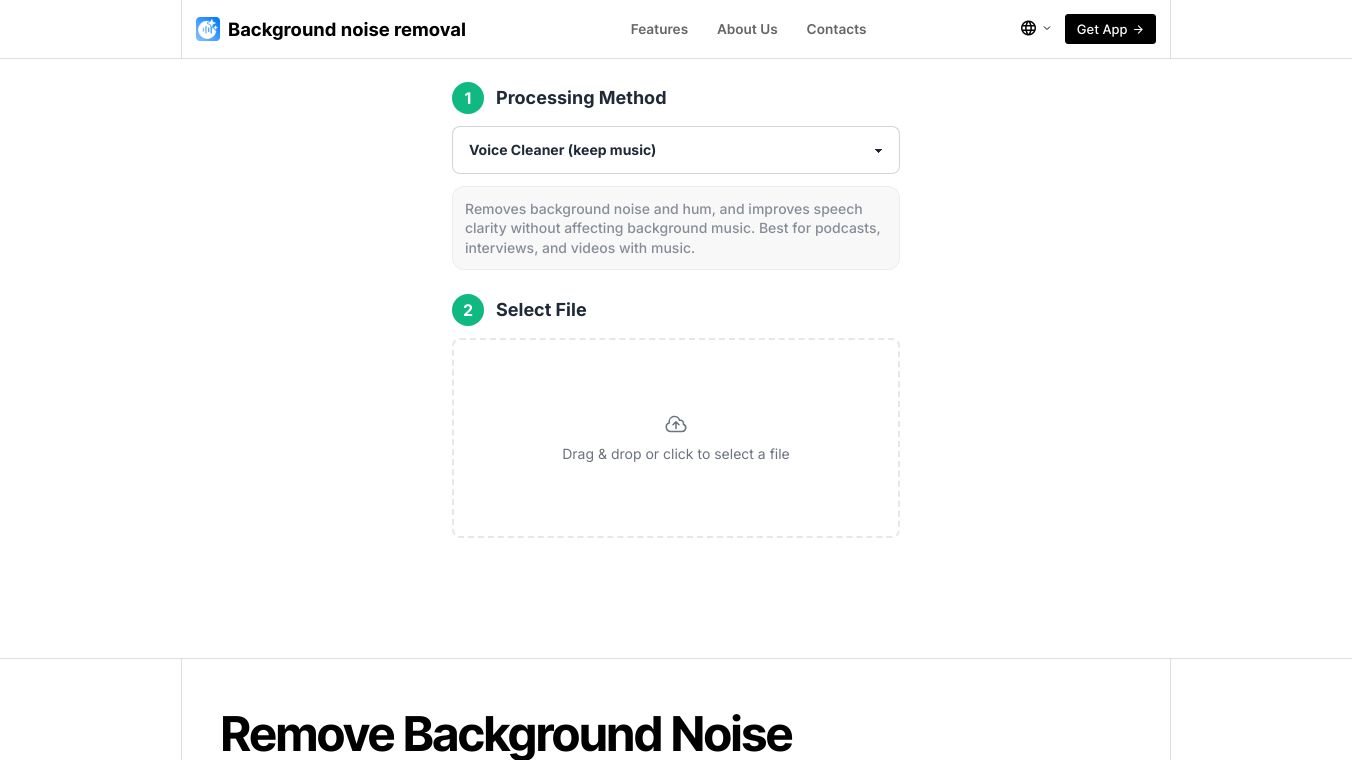





The Background Noise Removal service is a tool designed to automatically clean up audio and video recordings. It helps make voices clearer by getting rid of unwanted sounds that can make recordings hard to understand.
Benefits
This service can make your recordings sound much better. It helps when microphones pick up extra noises like breathing or swallowing. It can also fix recordings that are too quiet or unclear because the speaker was far away or not using a microphone. If your recording has noise from outside like city sounds or traffic, or from inside like echoes, this tool can help reduce those distractions. It's also useful for people who are new to recording audio, have a slight speech impediment, or pause a lot. Even if technical problems like dead batteries or disconnections have affected your audio quality, this service can improve it.
Use Cases
Using the service is simple. You choose a processing mode, upload your file, let the tool automatically process it, and then download the improved version. You can even compare your original recording with the processed one. This tool is great for many people, including those who edit videos and audio, create social media content, work in marketing, run businesses, are students, or anyone making video content with spoken words.
There are eight different ways to process your audio:1.Voice Cleaner (keep music):This mode removes background noise and hums but keeps any music that's playing. It's good for podcasts, interviews, and videos with music.2.Voice Cleaner (keep music), Partial Deverb:This is like the first mode but also reduces echo in recordings made in rooms that sound "boomy."3.Voice Cleaner (remove music):This mode gets rid of background music, so only the voice is heard.4.Voice Cleaner (keep music & soundFX):This cleans up the voice while keeping both music and sound effects like applause.5.Voice Cleaner (remove breathings):This mode specifically removes breaths between spoken words without changing how natural the speech sounds.6.Adaptive Leveler (keep noise):This mode makes the volume of the voice more even, making quiet and loud parts closer in volume, without removing background noise.7.Bandwidth Extension and Voice AutoEQ (keep noise):This mode makes voices sound fuller and clearer by adjusting sound frequencies. It's good for old, "flat" sounding recordings or recordings that sound like they are from a phone call, and it doesn't remove much background noise.8.Cut Filler Words, Coughs and Silence:This mode automatically removes common filler words like "uh" and "um," coughs, and long pauses to save editing time. However, it's a good idea to check the results afterward.
The service processes files quickly. A 5-minute file usually takes about 45 seconds. It supports many common audio and video file types like MP3, MP4, and WAV. The tool is easy to use, saves your processing history so you can re-download files, offers those 8 processing options, and can process multiple files at once.
Pricing
The service is free to use for files up to 200 MB in size and up to 30 minutes long. If you need unlimited access or want to remove these limits, you can contact support@backgroundnoiseremoval.com.
Vibes
User feedback is encouraged to help improve the service.
This content is either user submitted or generated using AI technology (including, but not limited to, Google Gemini API, Llama, Grok, and Mistral), based on automated research and analysis of public data sources from search engines like DuckDuckGo, Google Search, and SearXNG, and directly from the tool's own website and with minimal to no human editing/review. THEJO AI is not affiliated with or endorsed by the AI tools or services mentioned. This is provided for informational and reference purposes only, is not an endorsement or official advice, and may contain inaccuracies or biases. Please verify details with original sources.

 Free
Free


Comments
Please log in to post a comment.