AutoRename-PDF
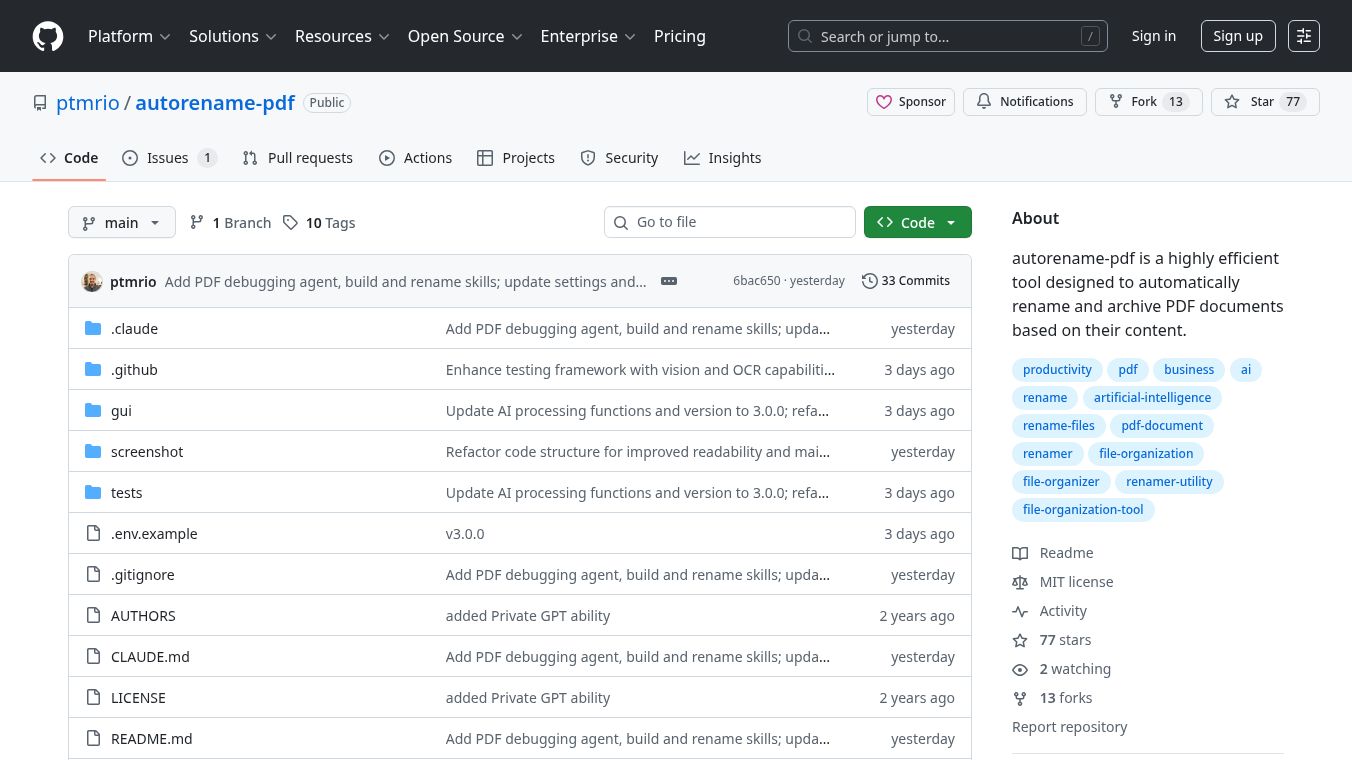





AutoRename-PDF: AI-Powered PDF Renaming and Archiving
AutoRename-PDF is a helpful tool that uses artificial intelligence and special scanning technology called Optical Character Recognition (OCR) to automatically rename and organize your PDF files. It looks for important details like company names, dates, and the type of document within each PDF. Then, it renames the file to a clear and consistent format:YYYYMMDD COMPANY DOCTYPE.pdf.
Benefits
- Easy to Use:It has a simple desktop program where you can drag and drop your PDF files. You can see how the names will change before they are changed and even undo the changes if needed.
- Works with Many AI Services:You can choose from different AI providers like OpenAI, Anthropic, Google Gemini, and xAI. It also supports Ollama, which lets you run AI models for free on your own computer.
- Handles All Kinds of PDFs:It can read text directly from digital PDFs, use OCR to read scanned documents, and even understand image-only PDFs.
- Quick Renaming:On Windows, you can right-click on a PDF or a folder of PDFs to rename them quickly.
- Renames Many Files at Once:It can rename hundreds of PDFs at the same time and makes sure company names are written the same way every time, even if they look a little different in the documents.
- Keeps Your Data Private:If you use Ollama and PaddleOCR, the whole process can happen on your computer, so your documents never leave your machine.
Use Cases
- Organizing Business Documents:Automatically rename invoices, contracts, reports, and other business papers with clear dates and company names.
- Managing Personal Records:Keep your personal documents like bills, receipts, and important notices organized and easy to find.
- Streamlining Workflows:For professionals who deal with many PDF documents daily, this tool can save a lot of time by automating the renaming process.
Pricing (ONLY include if available)
There are a few ways to set up AutoRename-PDF, each with different costs:
- Cloud AI + PaddleOCR:This setup costs about $0.001 per PDF. It uses free OCR on your computer and cloud AI. You need an API key and to install PaddleOCR.
- Cloud AI + Vision:This option costs about $0.002 per PDF. It uses the AI's ability to read images of the pages, which is good if your computer isn't very powerful. You need an API key.
- Fully Offline:This option is completely free and keeps your data private because everything runs on your computer. You need to download AI models and install PaddleOCR.
Vibes (ONLY include if available)
AutoRename-PDF is an open-source tool, meaning its code is publicly available. Users are encouraged to report any bugs or suggest new features by opening issues. While direct contributions to the code are not currently accepted, users can create their own versions (forks) and share their feedback.
Additional Information (ONLY include if available)
AutoRename-PDF is built using Python and has a clear structure with modules for AI processing, PDF handling, and document organization. It supports various AI providers and can be configured using aconfig.yamlfile or environment variables for better security. The tool is designed for easy building and testing, with releases made using tools like PyInstaller and Tauri. The project is licensed under the MIT License.
This content is either user submitted or generated using AI technology (including, but not limited to, Google Gemini API, Llama, Grok, and Mistral), based on automated research and analysis of public data sources from search engines like DuckDuckGo, Google Search, and SearXNG, and directly from the tool's own website and with minimal to no human editing/review. THEJO AI is not affiliated with or endorsed by the AI tools or services mentioned. This is provided for informational and reference purposes only, is not an endorsement or official advice, and may contain inaccuracies or biases. Please verify details with original sources.
 No Info

Comments
Please log in to post a comment.