Antigravity AI
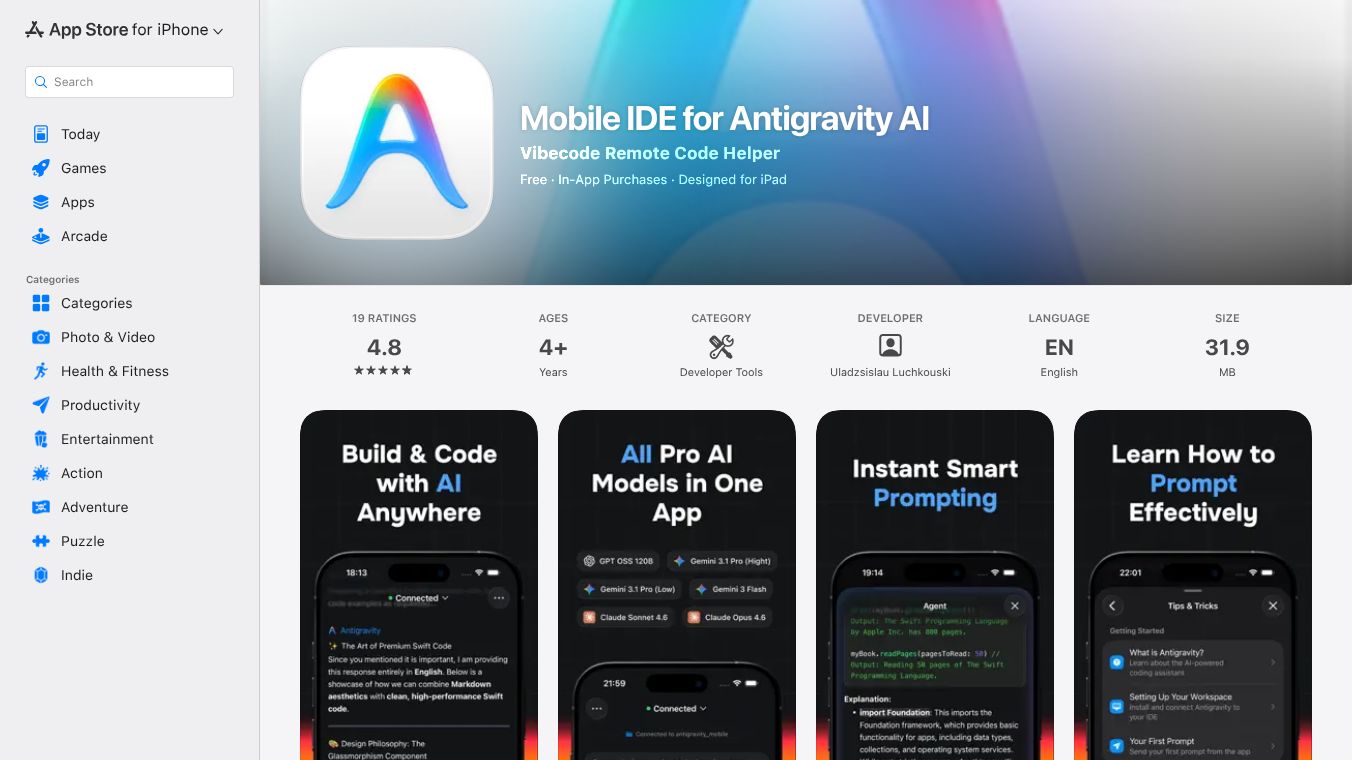





Antigravity AI is a new development tool created by Google. It works like a team of smart assistants, called agents, that can plan, do, and check complex coding jobs from start to finish. The main goal is to help people who write code finish their projects faster and with more trust in their work. It combines these agents with a powerful editor and a way to track all the work done.
Benefits
Antigravity AI offers several advantages. Its autonomous agents can handle tasks like coding, testing, and fixing problems in the editor, on the command line, and in a web browser. This lets developers focus on the big picture instead of getting caught up in small, repetitive steps. Every action taken by an agent creates clear records, like plans, code changes, and even screen recordings. This makes it easy for users to see what the agents did, understand why they did it, and safely use the changes. The editor itself has many features, including AI help that can rewrite code, create tests, and make edits directly where the code is written. A special manager lets you control many agents at once on different projects, helping you assign jobs and keep track of progress. Developers can give feedback on the work done by agents, and this feedback is used right away to improve future actions. You can also group related steps into larger tasks, helping the agents understand the overall goal and deliver complete results.
Use Cases
Antigravity AI is built for developers of all levels. Professional developers can use it to make their work smoother by automating repetitive tasks and running many things at the same time. Frontend developers can use its special connection to web browsers for testing to make sure websites look exactly right. Fullstack developers can use it to make their applications more reliable by having agents automatically check and test the whole system thoroughly.
Vibes
Antigravity AI is designed with core ideas in mind. It presents work in easy-to-understand formats like task lists and recordings for simple checking. It offers both an editor for working together and a manager for controlling the agents. It allows for feedback to be used immediately to improve how agents work. The agents also learn from good code and ways of working, getting better over time.
Additional Information
Getting started with Antigravity AI involves downloading and installing the tool, learning how to use it with a quick guide, trying out common tasks on a real project, and then learning more about how Agents, Artifacts, and the Editor work. Antigravity AI works on its own but can connect with other tools like Git, programming languages, and web browsers. The agents can use these tools, and you can still use other editors like VS Code. Antigravity AI supports different AI models, including Gemini 3 Pro, Anthropic Claude Sonnet 4.5, and GPT-4 class models. While the IDE runs on your computer, requests to the agents are sent to cloud models, so some data might be shared with providers. It's important to avoid sharing sensitive information and follow security rules. This tool is meant for bigger jobs like rewriting code, building new features, and doing full system tests, not just simple auto-completion.
This content is either user submitted or generated using AI technology (including, but not limited to, Google Gemini API, Llama, Grok, and Mistral), based on automated research and analysis of public data sources from search engines like DuckDuckGo, Google Search, and SearXNG, and directly from the tool's own website and with minimal to no human editing/review. THEJO AI is not affiliated with or endorsed by the AI tools or services mentioned. This is provided for informational and reference purposes only, is not an endorsement or official advice, and may contain inaccuracies or biases. Please verify details with original sources.
Comments
Please log in to post a comment.