AIUsageBar





AI Usage Tracker: Keep Your AI Tools in Check
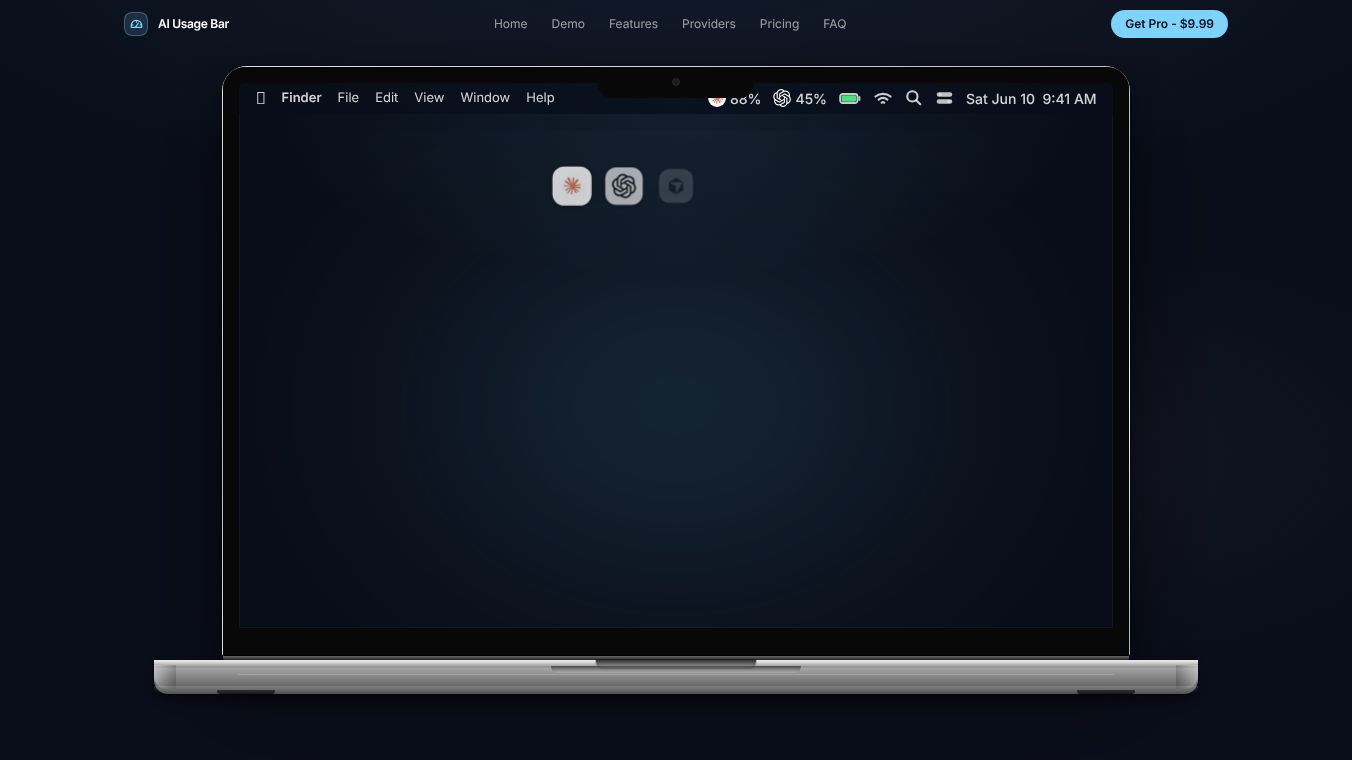
AI Usage Tracker is a simple app for Mac users who use many artificial intelligence tools. It lives in the menu bar at the top of your screen. This design lets you check your usage without opening a new window or app. The tool tracks how much you use and how much you spend on over 47 different AI services. These services include popular options like Claude, OpenAI, Cursor, and Gemini. The app works automatically and does not require you to set up API keys or manage complex files.
Benefits
The main benefit of AI Usage Tracker is that it saves time and prevents workflow interruptions. Users can see their current session usage and a countdown timer that shows when their limits will reset. This helps them plan their work better. The app also sends smart notifications when a user reaches 75% or 90% of their usage limit. This warning helps avoid hitting rate limits unexpectedly. Another key feature is the ability to track monthly spending across all connected tools. This gives users a clear picture of their costs without having to check each service manually. The app is built with native Swift, which means it uses very little computer memory and runs smoothly.
Use Cases
This tool is perfect for professionals who rely on multiple AI platforms for their daily tasks. Writers, developers, and designers often use different AI tools for different parts of their job. For example, a developer might use Cursor for coding and OpenAI for writing documentation. AI Usage Tracker allows them to monitor both tools from one place. It is also useful for teams or individuals who have strict monthly budgets for AI services. By tracking spend and usage limits, users can stay within their financial boundaries. The app supports two Macs per license, making it a good choice for people who use more than one computer. Since new providers are added for free, the app remains useful as the AI landscape changes.
Pricing
AI Usage Tracker offers two plans to fit different needs. The Free Plan is available forever at no cost. It includes tracking for Claude usage, rate limits, reset timers, and basic cost tracking. This is a great option for users who only need to monitor one specific tool. The Pro Plan costs $9.99 as a one-time purchase. This single payment gives access to all 47+ supported providers. It includes smart notifications, full monthly spend tracking, and a setup guide. The license covers two Macs, and the company offers a 30-day full refund guarantee. This pricing model is designed to be a low-risk investment for users who want comprehensive monitoring.
Vibes
Users appreciate the simplicity and effectiveness of the app. Many reviews highlight how the menu bar integration makes checking limits effortless. People often mention that the smart notifications saved them from hitting unexpected rate limits during important work sessions. The one-time purchase price is frequently compared to the cost of wasted time or lost productivity from hitting limits. Users feel confident knowing they can switch to a different tool with more available space before their current one runs out. The lack of required API key setup is another point of praise, as it removes a common technical hurdle for non-technical users.
Additional Information
The app was created to solve a specific problem for Mac users managing multiple AI subscriptions. It focuses on being lightweight and efficient within the macOS ecosystem. The developers have committed to adding new providers for free as they become available. This ensures the tool stays relevant as the market grows. The company believes that the small cost of the Pro plan is worth the peace of mind it provides to users who depend on AI tools for their livelihoods.
This content is either user submitted or generated using AI technology (including, but not limited to, Google Gemini API, Llama, Grok, and Mistral), based on automated research and analysis of public data sources from search engines like DuckDuckGo, Google Search, and SearXNG, and directly from the tool's own website and with minimal to no human editing/review. THEJO AI is not affiliated with or endorsed by the AI tools or services mentioned. This is provided for informational and reference purposes only, is not an endorsement or official advice, and may contain inaccuracies or biases. Please verify details with original sources.




Comments
Please log in to post a comment.