AI Project Guardian
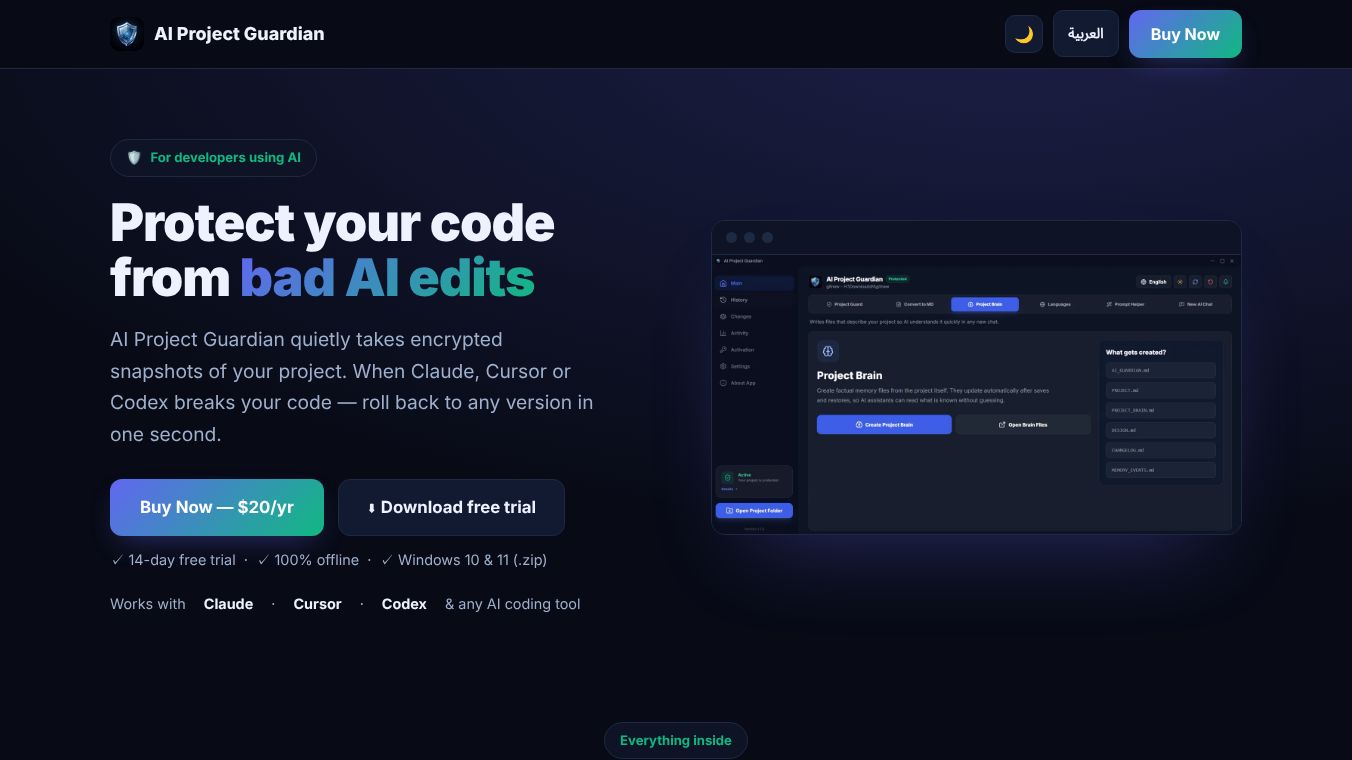





AI Project Guardian: Protect Your Code from Bad AI Edits
Overview
AI Project Guardian is a desktop application designed to act as a safety net for developers who use AI coding assistants. It automatically takes encrypted snapshots of your project files. This allows you to roll back to any previous version instantly if an AI tool like Claude, Cursor, or Codex breaks your code. The application runs 100% offline, which ensures your code never leaves your computer.
Benefits
AI Project Guardian offers a suite of eight tools within a single application. The main tool, Project Guard, automatically creates encrypted snapshots of your project. It also lets you restore any earlier version with one click. The Timeline feature displays every saved version in chronological order. You can restore, pin, or add notes to specific versions. The Compare tool provides a visual diff between any two versions so you can see exactly what changed. The Activity log keeps track of every save, restore, and detected change. Another tool, Convert to MD, transforms PDF, Word, PowerPoint, and Excel files into clean Markdown. This format is optimized for AI consumption. The Project Brain generates a token-saving code map. This helps AI understand your project structure without reading every single file. The Prompt Helper converts plain text requests into safe, professional prompts. Finally, Languages Guard ensures a consistent design across different languages by handling RTL and LTR settings.
Use Cases
Protecting your project involves three simple steps. First, install the AI Project Guardian application for Windows and open it. Second, select your project folder. The application begins monitoring it instantly. It automatically ignores directories such as node_modules, .git, and dist. Third, snapshots are saved automatically. If an AI tool causes an issue, you can restore any previous version with a single click. This tool is useful for developers who rely on AI to write or edit code. It works with any AI coding tool, including but not limited to Claude, Cursor, and Codex. It is currently available for Windows 10 and 11 as a zip file.
Pricing
The cost is $20 per year for one Windows machine. The package includes a 14-day free trial. No credit card is required for the trial. The license covers one Windows machine for a full year. This price includes all eight tools.
Vibes
The application is built with privacy and security as core design principles. All snapshots are encrypted using AES-256-GCM. Snapshots are de-duplicated to save disk space. The code never leaves your PC after activation. The application runs entirely locally. It also uses smart ignoring to exclude unnecessary folders like node_modules, .git, and dist. This focus helps the tool work efficiently on relevant code only.
Additional Information
While similar in concept to version control, AI Project Guardian differs in several key ways. It takes snapshots automatically while you work. This requires no manual commits or commands. It offers one-click restoration of any version with a visual diff. This is different from the commit and merge workflow of Git. Snapshots are encrypted and de-duplicated locally.
This content is either user submitted or generated using AI technology (including, but not limited to, Google Gemini API, Llama, Grok, and Mistral), based on automated research and analysis of public data sources from search engines like DuckDuckGo, Google Search, and SearXNG, and directly from the tool's own website and with minimal to no human editing/review. THEJO AI is not affiliated with or endorsed by the AI tools or services mentioned. This is provided for informational and reference purposes only, is not an endorsement or official advice, and may contain inaccuracies or biases. Please verify details with original sources.




Comments
Please log in to post a comment.