AI Object Remover





AI Object Remover: A Simple Tool for Clean Images
Introduction
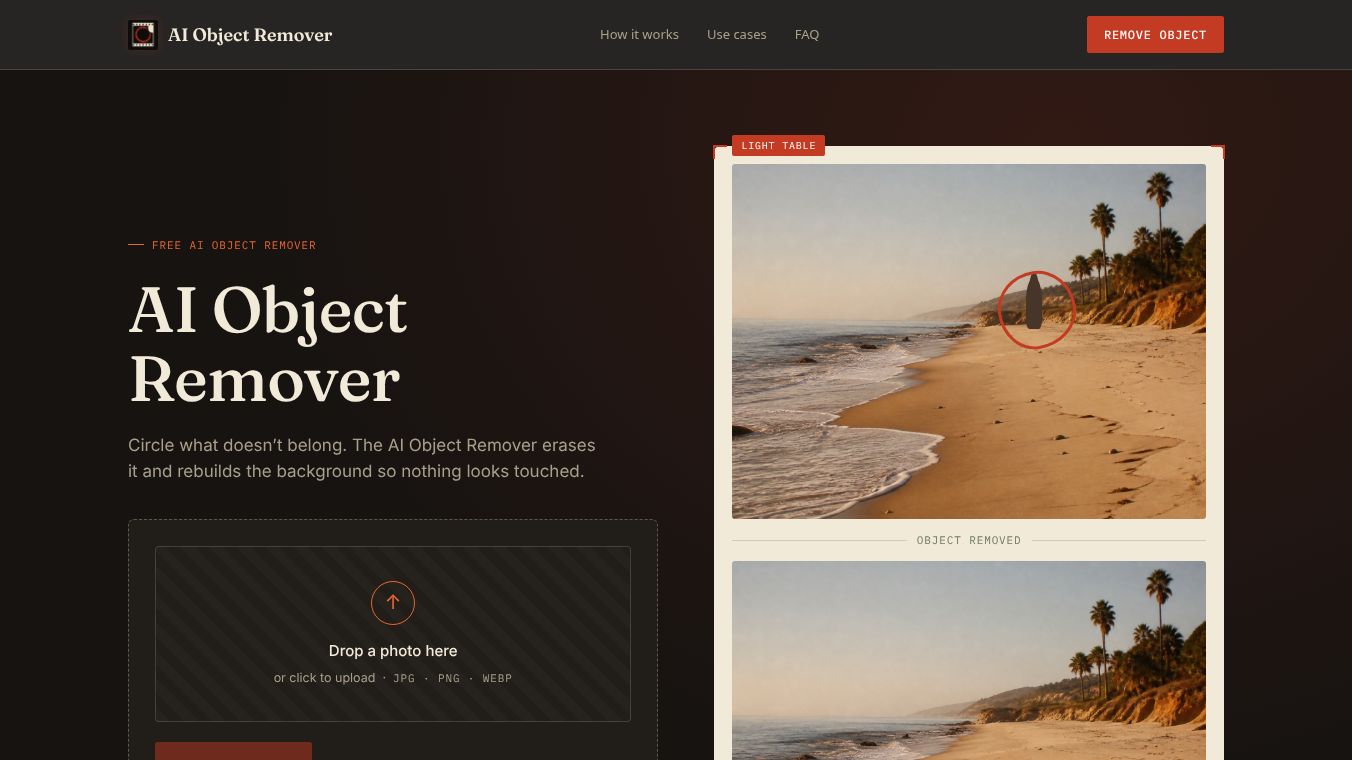
AI Object Remover is an online tool designed to take unwanted items out of photos. It uses artificial intelligence to find objects like people, cars, or furniture and then removes them. The tool fills in the empty space behind the object so the image looks natural and complete. This makes it easy for anyone to fix photos without needing advanced editing skills.
Benefits
The main benefit of AI Object Remover is how fast and easy it is to use. Users can upload a photo and select the object they want to remove with just a few clicks. The AI does the heavy lifting by analyzing the image and reconstructing the background. This saves a lot of time compared to traditional photo editing methods. Another advantage is that the tool works in a web browser, so users do not need to install any software on their computers. It also helps improve the quality of old or damaged photos by removing scratches or stains.
Use Cases
This tool is useful for many different situations. Photographers can use it to remove distractions from their shots, such as a person walking through the frame or a power line in the sky. Real estate agents can take photos of houses and remove trash or temporary items to make the property look better. Parents can use it to take unwanted people out of family pictures. Event organizers can clean up photos by removing security guards or signs that do not belong in the final image. It is also helpful for designers who need a clean background for their projects.
Pricing
AI Object Remover offers a free version that allows users to remove objects from a limited number of images per day. For users who need to process more photos or want higher resolution downloads, there are paid plans available. The pricing details are not always fixed and may change based on the number of images and the quality needed. Users can check the official website for the most current pricing options and subscription details.
Vibes
Users generally find the tool to be very effective for quick edits. Many people appreciate how simple the interface is and how quickly the results appear. Some users note that the AI works best on simple backgrounds and might struggle with complex scenes that have many overlapping objects. Overall, the public reception is positive because it solves a common problem for photo editors and casual users alike. It is often described as a handy solution for fixing mistakes or improving photos without hiring a professional editor.
Additional Information
The tool is part of a growing trend of AI-powered image editing services. It relies on advanced machine learning models that have been trained on millions of images to understand how backgrounds look. The company behind the tool focuses on making image editing accessible to everyone. There are no major partnerships or funding details publicly available for this specific tool, but it operates as a standalone web service that is constantly updated to improve its performance.
This content is either user submitted or generated using AI technology (including, but not limited to, Google Gemini API, Llama, Grok, and Mistral), based on automated research and analysis of public data sources from search engines like DuckDuckGo, Google Search, and SearXNG, and directly from the tool's own website and with minimal to no human editing/review. THEJO AI is not affiliated with or endorsed by the AI tools or services mentioned. This is provided for informational and reference purposes only, is not an endorsement or official advice, and may contain inaccuracies or biases. Please verify details with original sources.




Comments
Please log in to post a comment.