AI Code Prep v2
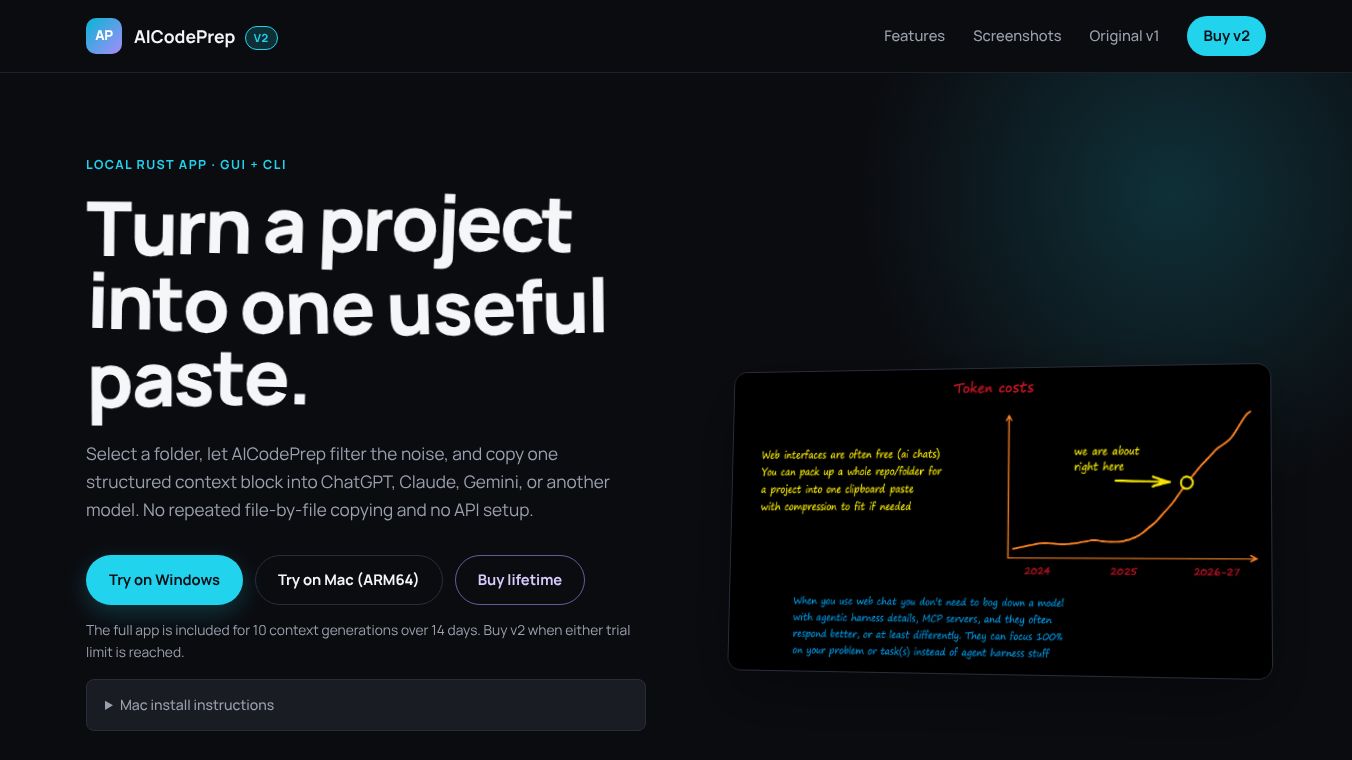





A Smarter Workflow: Introducing aicodeprep-gui
The Problem with Current AI Agents
Modern IDE agents like Cursor, Cline, and Copilot often struggle with efficiency. They frequently guess which files to use, require manual filename entry, or overwhelm AI models with excessive text regarding tool usage. This unnecessary information makes AI models appear less capable and hinders problem-solving. The core issue is that these tools give AI too much context unrelated to the specific problem at hand.
The Solution: aicodeprep-gui
aicodeprep-guiis a standalone utility designed to fix these workflow inefficiencies. It puts the developer in control, ensuring you know your code best. By providing just the right context, it makes AI models smarter and more capable, saving time, lowering API costs, and reducing friction.
Key Features
- Intelligent File Scanning: The tool uses a
.gitignore-style system and lazy-loading to smartly and quickly scan your project, ensuring only relevant files are included. - Context Engineering: Unlike other tools that dump MCP server info or tool usage logs, aicodeprep-gui provides a clean code bundle. You can place your prompt before and after the code, optimizing how the AI responds.
- Seamless OS Integration: It is the only tool of its kind with native right-click context menu integration for Windows, macOS, and Linux. Simply right-click a folder or type
aicpin your terminal to launch it instantly. - IDE & Agent Agnostic: As a standalone utility, it enhances your workflow regardless of whether you use VS Code, Cursor, Windsurf, or any web-based AI chat.
- Polished UI: Features a clean, modern interface with automatic light/dark mode, a real-time token counter, and per-project memory.
- Per-Project Preferences: The application saves your file selections, window size, and settings to the specific folder, making it faster to access context the next time you run it in that project.
How to Use
- Launch: Right-click a folder or type
aicpin your terminal. The app opens instantly with relevant files pre-selected. - Fine-Tune & Prompt: Quickly check or uncheck specific files. Use preset buttons for frequently asked questions or tasks.
- Generate & Paste: Click "Generate Context" to copy the entire code bundle to your clipboard. Your prompt can be inserted before or after the code to optimize the AI's response.
Installation
The tool requires Python andpipx. For the best experience, install the right-click menu from within the app (File > Install...). Alternatively, you can useuvto install it.
Prerequisites:* Python installed.*pipxinstalled.
Installation Steps by OS:
- Windows:
- Install Python from python.org.
- Open Command Prompt and run:
py-mpipinstall--userpipxpy-mpipxensurepath- Close and reopen your terminal, then run:
pipxinstallaicodeprep-gui- macOS:
- Using Homebrew, run:
brewinstallpipxpipxensurepath- Close and reopen your terminal, then run:
pipxinstallaicodeprep-gui- Linux (Debian/Ubuntu):
- Update packages and install pip:
sudoaptupdate&&sudoaptinstallpython3-pip-y- Install pipx:
pip3install--userpipxpipxensurepath- Close and reopen your terminal, then run:
pipxinstallaicodeprep-guiAutomated Install Scripts: For those who prefer automation, installer scripts for Windows, macOS, and Linux are available in a single zip file. Download, unzip, and run the script corresponding to your system.Note: Review the script before running for security.
Conclusion
aicodeprep-gui is designed to make your AI workflow frictionless. By eliminating noise and providing precise context, it ensures you get the best possible results from your AI models while maintaining full control over the process.
This content is either user submitted or generated using AI technology (including, but not limited to, Google Gemini API, Llama, Grok, and Mistral), based on automated research and analysis of public data sources from search engines like DuckDuckGo, Google Search, and SearXNG, and directly from the tool's own website and with minimal to no human editing/review. THEJO AI is not affiliated with or endorsed by the AI tools or services mentioned. This is provided for informational and reference purposes only, is not an endorsement or official advice, and may contain inaccuracies or biases. Please verify details with original sources.

Comments
Please log in to post a comment.