Agent Browser Shield





Agent Browser Shield: A Comprehensive Guide
Overview
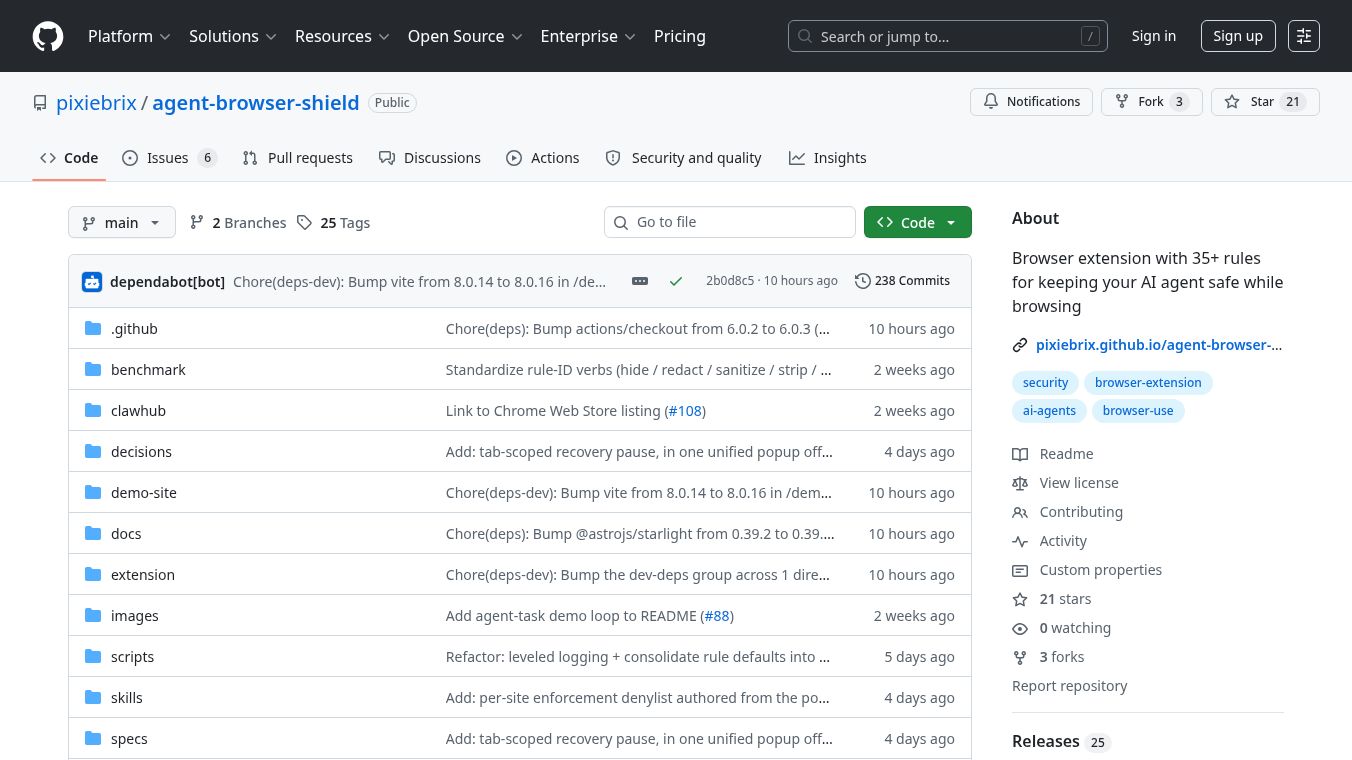
Agent Browser Shield is an alpha-prototype browser extension built on the Chromium platform. It was created by PixieBrix to improve the safety and efficiency of AI agents that browse the web. The tool works directly on your computer to process data locally. This means no information about your browsing habits is sent to outside servers. The extension is currently in an early testing phase, so its features may change as developers refine it.
Benefits
Agent Browser Shield offers three main advantages for users who rely on AI agents to complete tasks online.
First, it saves money on AI costs. The tool removes unnecessary parts of a webpage, such as cookie banners, chat widgets, and sponsored content. By cleaning up the page, the AI agent can focus its resources on the actual task instead of wasting tokens on irrelevant elements.
Second, it enhances security and privacy. The extension hides personally identifiable information like names and addresses before the AI sees them. It also blocks hidden text and comments that might contain harmful code designed to trick the AI. This helps prevent prompt injection attacks where bad actors try to manipulate the AI into doing something unintended.
Third, it improves accuracy. The tool blocks manipulative design patterns that websites use to distract users. By hiding engagement buttons and other distracting content, the extension ensures the AI stays focused on the user's specific goal without getting sidetracked.
Use Cases
This tool is designed for developers and teams that build or use AI agents to perform web-based tasks. It is particularly useful in the following scenarios.
Developers can use the extension to test their AI agents in a controlled environment. The project includes a demo site that simulates an online store. This allows teams to run tests and see how the agent handles different rules without risking real data.
Security teams can deploy the extension to protect sensitive information during automated browsing. Since the tool masks PII and credentials, it helps ensure that private data does not leak into the AI model during processing.
Researchers can use the benchmark harness included in the project to measure how well different AI agents perform with and without the shield. This helps in understanding the impact of web page clutter on task completion rates.
Pricing
Pricing details are not available for Agent Browser Shield at this time. The project is currently in an alpha-prototype stage and is source-available. This means the code is accessible for review and potential use under specific licensing terms. Users interested in using the tool should check the official repository for the most current information on availability and costs.
Vibes
Public reception and reviews are not available yet because the product is still in development. As an alpha prototype, the extension is intended for testing and feedback from early adopters. The developers have noted that the rulesets may change without notice as they continue to improve the tool. Users are encouraged to report any issues or vulnerabilities privately through the project's security channels.
Additional Information
Agent Browser Shield is developed by PixieBrix. The project is open to contributions from the community. Developers can build or run the extension using Node.js version 24 or higher and Bun version 1.3 or higher. The extension requires a Chrome or Chromium browser version 148 or higher to function properly.
The tool is licensed under source-available terms. This allows users to access the code but may require specific agreements for commercial use. The extension is provided as-is without any warranty. Users should take precautions when using AI agents for browsing tasks even with the shield enabled.
The project includes several key directories for building and testing. The extension folder contains the main code, while the benchmark folder holds tasks and scenarios for testing. A demo site is available to exercise every rule in the system. The documentation is hosted on an Astro Starlight site for easy access.
To build the extension, users must navigate to the extension directory and run specific commands using Bun. The build process creates a compiled Chromium extension that can be loaded as an unpacked extension. Custom rules can be added by modifying the default settings file before building.
The project also includes scripts for running agent tasks and benchmarks. These scripts help automate testing and generate reports on performance. Users must configure their environment variables with API keys before running these tasks. The benchmark harness can run multiple scenarios concurrently to gather comprehensive data on agent performance.
This content is either user submitted or generated using AI technology (including, but not limited to, Google Gemini API, Llama, Grok, and Mistral), based on automated research and analysis of public data sources from search engines like DuckDuckGo, Google Search, and SearXNG, and directly from the tool's own website and with minimal to no human editing/review. THEJO AI is not affiliated with or endorsed by the AI tools or services mentioned. This is provided for informational and reference purposes only, is not an endorsement or official advice, and may contain inaccuracies or biases. Please verify details with original sources.



Comments
Please log in to post a comment.