Agent Browser
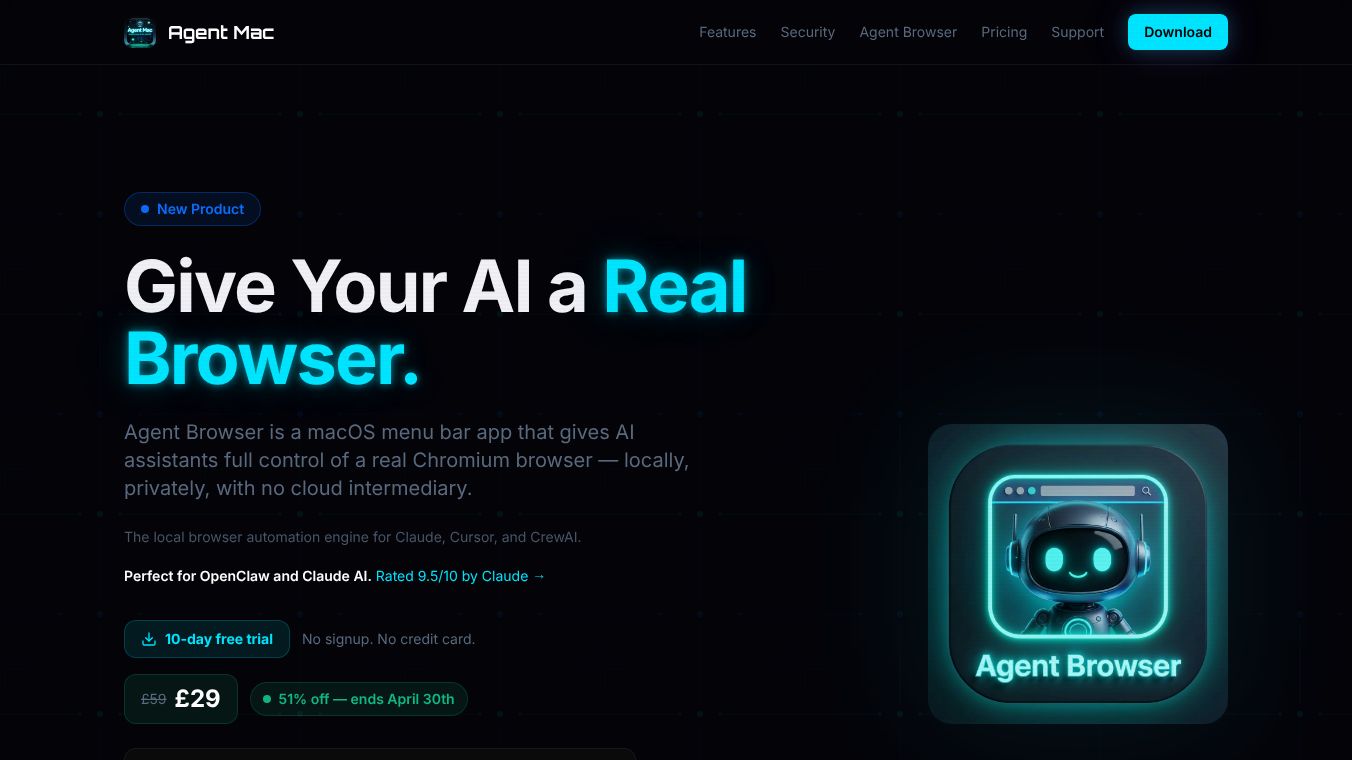





Agent Browser is a special application for Mac computers that gives AI assistants full control over a real web browser. It works right on your computer, meaning your online activity stays private and doesn't need to go through outside servers. This tool is built for AI assistants like Claude, Cursor, and CrewAI, making it easier for them to interact with websites.
Benefits
Agent Browser offers several advantages. It's the first AI agent browser that lets AI manage multiple browser tabs automatically, keeping track of where it's been. It also works as a native app right from your Mac's menu bar, so you don't need to use complicated commands or set up special software. You can choose to run the browser very quickly without a visible window or use a real Chrome browser for websites that need to see a genuine user. It can remember your login information and website settings so the AI stays logged in. It can also pull text from websites as simple markdown, which uses fewer words for the AI to process. Because it runs locally, it can access websites that might block regular cloud-based browsers. A live dashboard shows you everything the AI is doing in real time.
Use Cases
This application is useful for anyone who wants to automate tasks on the web. Developers building AI agents that need to browse the internet will find it very helpful. If you use CrewAI for creating multiple AI agents that work together, Agent Browser can connect them to a live browser. Users of Cursor, an AI coding assistant, can use it to interact with web content.
Pricing (ONLY include if available)
Agent Browser offers a 10-day free trial without needing any signup or credit card details. For a limited time until April 30th, it is available at a 51% discount.
Vibes (ONLY include if available)
Agent Browser is designed for power users who want to automate web tasks. It is also recommended for developers building AI agents that require browser automation and for CrewAI users looking to integrate multi-agent pipelines with a live browser. Cursor users can benefit from its ability to let their AI coding assistant interact with web content.
Additional Information (ONLY include if available)
Agent Browser requires macOS 14 Sonoma or newer. It uses Playwright or Google Chrome as its browser engine. The application runs entirely on your Mac, ensuring your data stays private and your sessions are saved.
This content is either user submitted or generated using AI technology (including, but not limited to, Google Gemini API, Llama, Grok, and Mistral), based on automated research and analysis of public data sources from search engines like DuckDuckGo, Google Search, and SearXNG, and directly from the tool's own website and with minimal to no human editing/review. THEJO AI is not affiliated with or endorsed by the AI tools or services mentioned. This is provided for informational and reference purposes only, is not an endorsement or official advice, and may contain inaccuracies or biases. Please verify details with original sources.




Comments
Please log in to post a comment.