AEOmatic
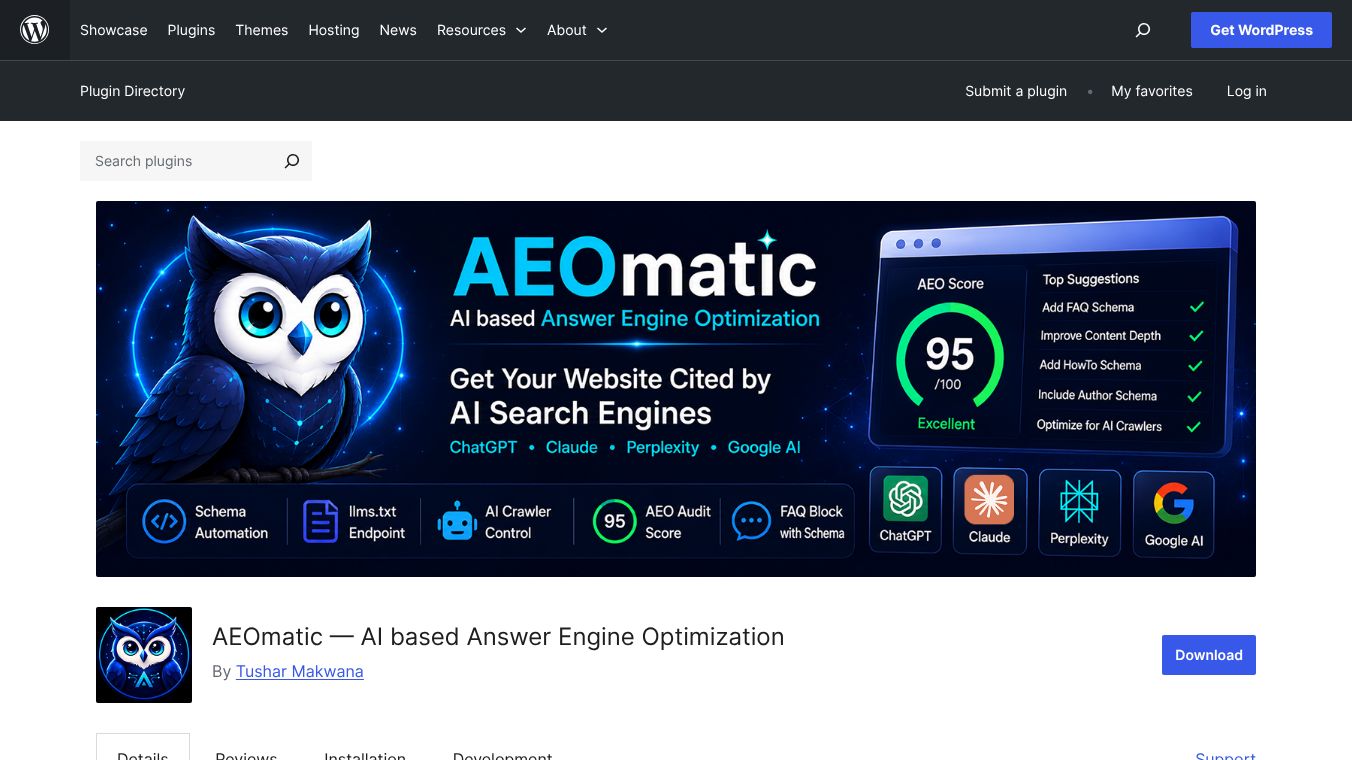





AEOmatic: The First WordPress Plugin for AI-Based Answer Engine Optimization
Introduction
AEOmatic is a special tool for WordPress websites. It is the first plugin designed specifically for Answer Engine Optimization. While traditional SEO helps websites rank on search engine result pages, AEOmatic helps websites get cited by AI models. This means your content can appear in answers from tools like ChatGPT, Claude, Perplexity, and Google AI Overviews. The plugin works by automatically creating the right data labels for your content so AI systems can understand and use it.
Benefits
AEOmatic offers several key advantages for website owners. It includes a visual editor that lets users change data labels without writing any code. The tool automatically detects the type of content on a page, such as a recipe, a job posting, or an event, and sets up the correct labels for each. It supports twenty-two different content types. For example, it can pull ingredient lists and cooking times for recipes or salary details for job posts. The plugin also works with all major page builders like Elementor and Divi. It integrates with WooCommerce to handle product prices and ratings. A unique feature is the llms.txt file, which gives AI engines a complete index of the website content. Users can also control which AI bots are allowed to crawl their site and see a log of which bots have visited. The tool even provides a score from zero to one hundred to show how likely a page is to be cited by AI.
Use Cases
AEOmatic is useful for many types of websites. Bloggers can use it to ensure their articles are picked up by AI search engines. Recipe sites can automatically label their cooking instructions and ingredients. Job boards can highlight salary ranges and employment types. Event organizers can share dates and venue details. E-commerce stores can display product prices and availability. Educational sites can mark courses and books. The plugin also works with custom post types, so it can handle knowledge bases or specific content types created by themes. It is ideal for anyone who wants their content to be visible in AI-generated answers instead of just traditional search results.
Pricing
AEOmatic is a free and open-source plugin. No account is required to use it, and no API keys are needed. Users can install it directly through the WordPress plugin library or by uploading the files to their server.
Vibes
As a new tool in the WordPress ecosystem, AEOmatic has not yet accumulated a large number of public reviews or testimonials. However, early feedback from the developer community highlights its innovative approach to AI optimization. Users appreciate the visual editor for its ease of use and the comprehensive support for different content types. The ability to control AI crawlers and view visit logs is seen as a valuable feature for site owners who want to manage how their content is discovered.
Additional Information
AEOmatic was developed by a team focused on the future of search and AI. The plugin is built with privacy in mind, as it does not send user data to external servers. It generates data labels once per post and stores them locally for performance. The development team has released updates to add new features like the llms-full.txt endpoint for full content ingestion. The plugin is compatible with popular SEO tools and includes a conflict detection system to prevent issues with duplicate data labels.
This content is either user submitted or generated using AI technology (including, but not limited to, Google Gemini API, Llama, Grok, and Mistral), based on automated research and analysis of public data sources from search engines like DuckDuckGo, Google Search, and SearXNG, and directly from the tool's own website and with minimal to no human editing/review. THEJO AI is not affiliated with or endorsed by the AI tools or services mentioned. This is provided for informational and reference purposes only, is not an endorsement or official advice, and may contain inaccuracies or biases. Please verify details with original sources.





Comments
Please log in to post a comment.