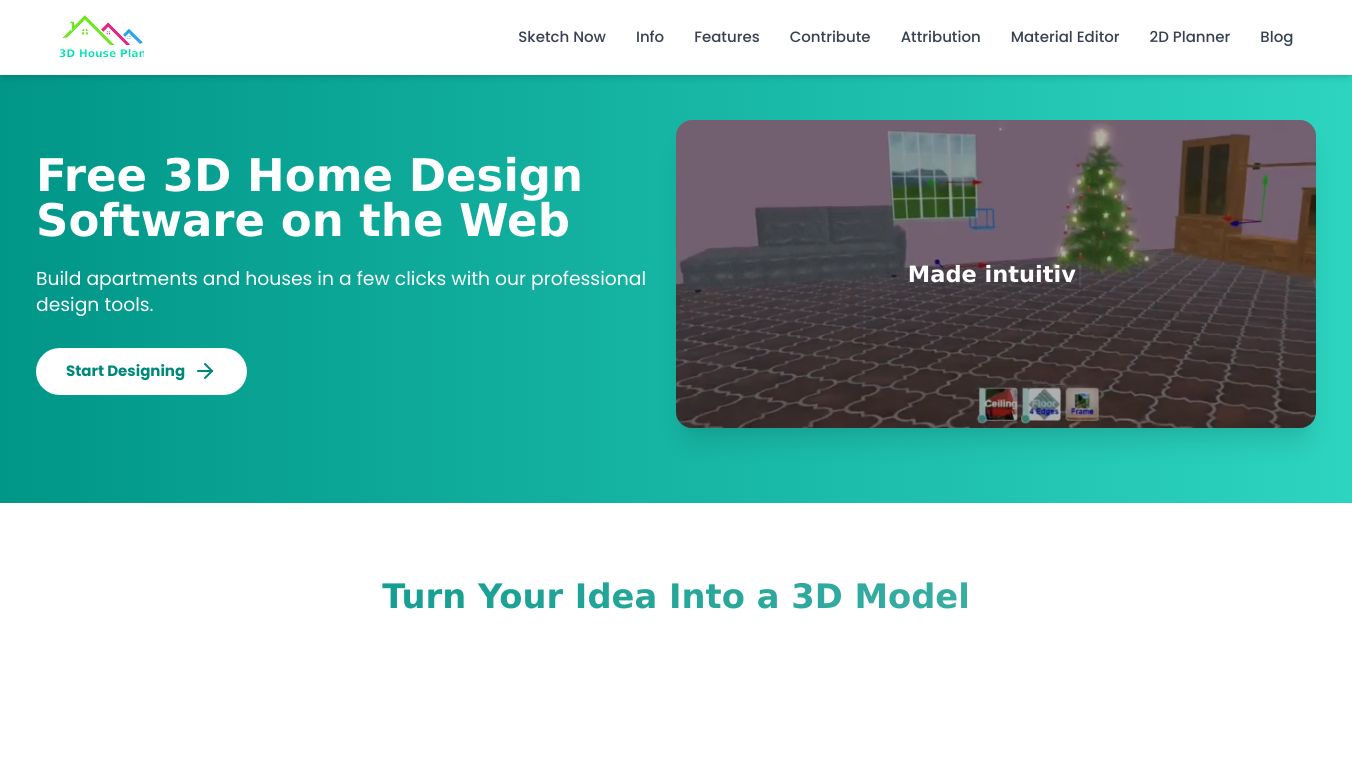





3D House Planner is a professional home design web application that allows you to design houses and apartments without the need for installation. Accessible through your browser, it offers a range of powerful features for creating detailed 3D models. With 3D House Planner, you can bring your home design ideas to life with ease and precision. Whether you are a professional designer or a DIY enthusiast, this tool provides everything you need to create realistic and detailed 3D models of your dream home. The intuitive interface and powerful features make it a go-to choice for anyone looking to design and visualize their living spaces.
Benefits
3D House Planner offers several key advantages that make it a standout tool for home design:
- Intuitive Controls: Build walls, floors, roofs, and frames with ease. The user-friendly interface ensures that even beginners can create detailed 3D models without any hassle.
- AI Tool: Import floor plan images and generate 3D floor plans with a single click. This feature saves time and effort, allowing you to focus on the creative aspects of your design.
- Object Catalog: Browse thousands of objects to furnish and decorate your home. This extensive catalog provides a wide range of options to bring your vision to life.
- Multi-Floor Design: Design up to 50 floors, making it ideal for large-scale projects such as apartment buildings or multi-story homes.
- Supported File Formats: Import models in GLB, GLTF, OBJ, and Babylon formats. This flexibility allows you to work with various file types and integrate them seamlessly into your designs.
- Realistic Designs: Use Physically Based Rendering (PBR) and Standard materials to create realistic and visually appealing designs. The wide range of high-quality textures and materials ensures that your models look as close to the real thing as possible.
- Terrain Modeling: Model and paint terrains for various design purposes. This feature is particularly useful for landscape design and outdoor projects.
- Export and Import Models: Save scenes on your device by exporting 3D models and continue work by importing saved models. This ensures that your designs are always accessible and can be worked on at any time.
- Privacy: No cloud storage ensures your designs remain private. Your work is stored locally, providing an added layer of security and privacy.
- Snapshot and Recording: Capture snapshots and record videos of your designs. This feature allows you to showcase your work and share it with others easily.
- No Login Required: Your work remains completely private. You can start designing immediately without the need for an account.
- Data Privacy: We don't collect any design data. Your designs and personal information are kept confidential.
Use Cases
3D House Planner is versatile and can be used in various scenarios:
- Home Design: Create detailed 3D models of your dream home. Whether you are planning a new build or renovating an existing property, 3D House Planner provides the tools you need to visualize your ideas.
- Apartment Design: Design apartments with multiple floors and units. The multi-floor design feature makes it easy to plan and visualize large-scale projects.
- Interior Design: Furnish and decorate your home with thousands of objects from the catalog. This feature is perfect for interior designers looking to create realistic and detailed models of their designs.
- Landscape Design: Model and paint terrains for various design purposes. This feature is useful for landscape architects and garden designers.
- Professional Use: Ideal for architects, interior designers, and real estate professionals who need to create detailed and realistic 3D models for their clients.
- DIY Projects: Perfect for DIY enthusiasts who want to design and visualize their home improvement projects. The intuitive interface and powerful features make it accessible to everyone.
Vibes
3D House Planner has received positive feedback from users who appreciate its ease of use and powerful features. Many users highlight the intuitive controls and the extensive object catalog as key advantages. The ability to import floor plan images and generate 3D floor plans with a single click has been particularly praised for its time-saving capabilities. The privacy features, such as no cloud storage and no login requirement, have also been well-received, ensuring that users' designs remain private and secure.
Additional Information
3D House Planner uses models from various sources, including Scopia, Kator Legaz, Blend Swap, ArchiBit Generation, ArchiBase.net, Free the models, and Sweet Home 3D. These models are licensed under various open-source licenses. By using this site, you agree to our terms and conditions. See also our privacy policy.
This content is either user submitted or generated using AI technology (including, but not limited to, Google Gemini API, Llama, Grok, and Mistral), based on automated research and analysis of public data sources from search engines like DuckDuckGo, Google Search, and SearXNG, and directly from the tool's own website and with minimal to no human editing/review. THEJO AI is not affiliated with or endorsed by the AI tools or services mentioned. This is provided for informational and reference purposes only, is not an endorsement or official advice, and may contain inaccuracies or biases. Please verify details with original sources.

 No Info

 Free
Free
Comments
Please log in to post a comment.